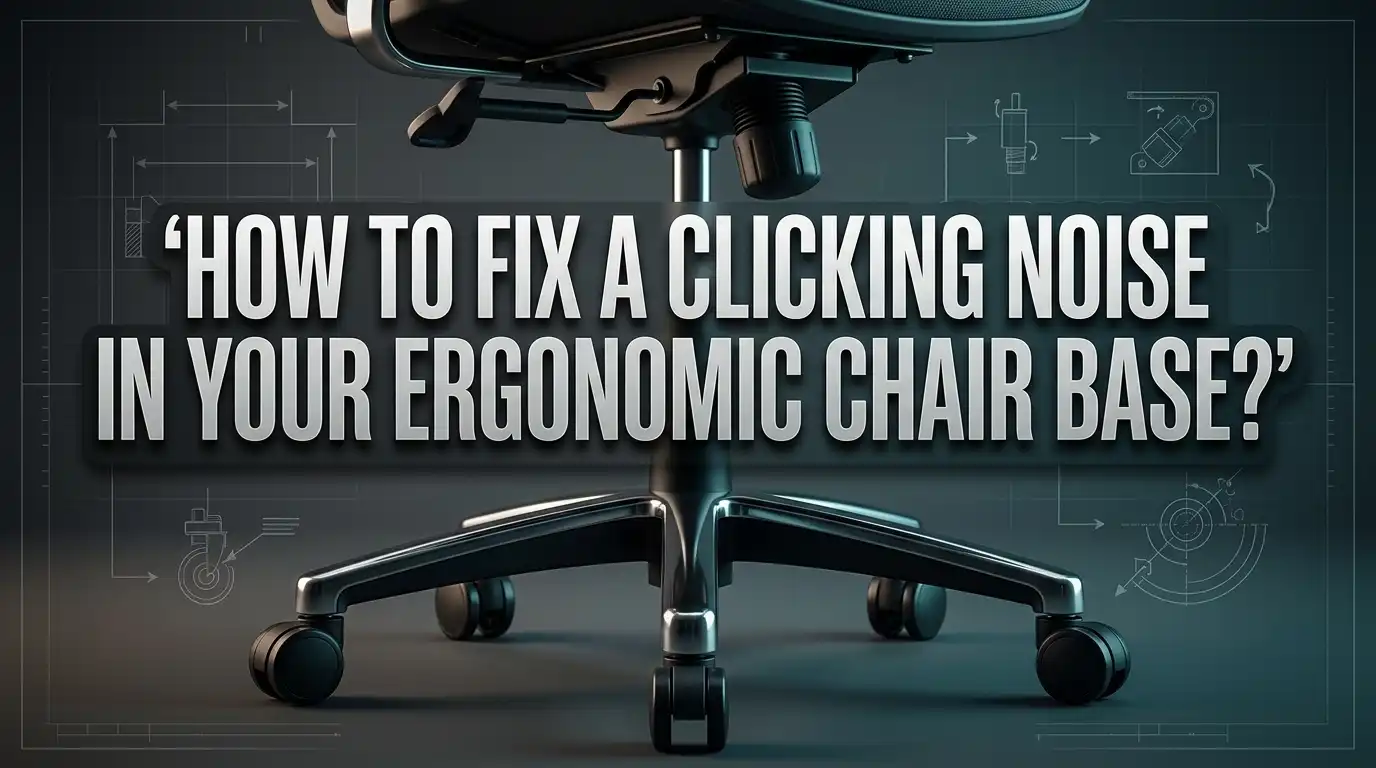
How to Fix a Clicking Noise in Your Ergonomic Chair Base?
That annoying clicking noise from your ergonomic chair can drive anyone crazy. It often starts small. Then it grows louder every time you sit down or lean back.
This sound is not just annoying. It usually means something in your chair base needs attention.
The noise could come from loose casters, worn bolts, or a faulty cylinder. Sometimes it is simply a dry connection point that needs lubrication.
Ignoring these signs can lead to bigger problems. Your chair might become unstable or wear out faster than expected.
The good news is that most clicking issues are easy to fix. You do not need special tools or expert help.
In this guide, we will show you how to find the exact source of the noise. We will also walk you through simple fixes step by step.
By the end, your chair will feel steady, quiet, and comfortable again. Let’s get that clicking sound gone for good.
In a Nutshell
- Find the source first. Check casters, bolts, and the cylinder before you start fixing anything. This saves you time and effort.
- Tighten loose bolts. Use a simple wrench or screwdriver to secure all connection points on the base. Loose bolts are often the main culprit.
- Lubricate key areas. Apply basic lubricant to the cylinder, seat mechanism, and backrest connections. This step stops most squeaks and clicks quickly.
- Inspect your casters. Wheels that shift or wobble often cause clicking sounds. Tighten or clean them to restore smooth movement.
- Check the backrest to seat connection. This spot is a very common noise source. A quick tightening or lubrication usually solves it.
- Do not ignore small sounds. Early squeaks can turn into bigger problems if you leave them unaddressed. Regular maintenance keeps your chair quiet and stable.
What Causes Clicking Noises in Chair Bases
Clicking noises in your ergonomic chair base happen for specific reasons. Understanding these causes helps you fix the problem quickly and prevent future damage.
The cylinder is a common culprit. This part controls how your chair height adjusts. When the cylinder weakens or develops internal issues, it creates clicking or popping sounds. You will notice this especially when you lean back or shift your weight. The cylinder houses gas pressure that keeps your seat stable, so damage here matters.
Loose bolts and fasteners throughout the base assembly cause clicking too. Your chair base has multiple connection points where parts bolt together. Over time, vibrations from daily use loosen these bolts gradually. When bolts are not tight, metal parts move slightly against each other and create noise.
The casters or wheels often produce clicking sounds as well. These small wheels can shift out of position or develop flat spots from constant rolling. Damaged casters wobble instead of rolling smoothly, and this wobbling creates that distinctive clicking pattern.
Connection points between components are noise sources you might overlook. The backrest connects to the seat mechanism through bolts and joints. The seat pan attaches to the base cylinder through similar connections. When these joints loosen, they click with every movement.
Worn or damaged parts accumulate wear over months and years. Plastic components can crack or splinter. Metal parts can develop rust or corrosion. Both situations create friction and noise during normal use.
The key point is simple: clicking means something is loose, worn, or damaged. Early identification prevents the problem from becoming worse. Most clicking issues start small but grow louder if you ignore them completely.
How to Diagnose the Source of the Noise
Finding where the clicking comes from is your first step. Start by sitting in your chair and leaning back slowly. Listen carefully to identify when the noise happens. Does it click when you recline? Does it happen when you shift your weight side to side? This tells you which part needs attention.
Next, inspect the casters on the bottom of your base. Spin each wheel by hand and watch for wobbling or movement. Casters that shift in their sockets create clicking sounds as you move. Push down on the seat and listen for clicks coming from the cylinder area. A faulty cylinder often produces noise when you apply pressure.
Check all visible bolts and fasteners on your base assembly. Use your fingers to gently wiggle each connection point. Loose bolts will move slightly and may rattle. Pay special attention to where the seat connects to the backrest. This joint is a frequent source of clicking because it moves constantly.
Examine the backrest to seat connection closely. Tilt the backrest forward and backward while listening. If clicking happens during this movement, the connection needs tightening.
Look at the pneumatic cylinder underneath your seat. This is the part that raises and lowers your chair. Press down on the seat and release it several times. If you hear clicking during this motion, the cylinder may be damaged or loose.
Document what you find. Write down whether the noise comes from the base, wheels, cylinder, or connections. This information helps you focus your repair efforts. You now know exactly where to direct your attention for fixing the problem.
Step-by-Step Guide to Fixing Caster and Wheel Issues
Start by getting your chair into a good position. Sit down and lean back gently while listening carefully. This helps you pinpoint exactly where the clicking originates. Pay attention to whether the sound happens during specific movements or all the time.
Inspect your casters first. Flip your chair over or get down low to examine the wheels. Look for wheels that shift or wobble when you push them. Spin each caster by hand and listen for grinding or clicking sounds. Casters that don’t spin smoothly often create noise during normal use.
Next, check every visible bolt on your base assembly. Use a simple wrench or screwdriver to test each connection point. Gently turn bolts to see if any are loose. A loose bolt often produces clicking when you move or shift your weight. Mark any bolts that need tightening so you remember them later.
Examine connection points carefully. The spot where your backrest connects to the seat is a frequent noise source. Look for gaps or movement between these components. The seat mechanism where you sit also has connection points worth checking.
Look underneath your seat at the pneumatic cylinder. This part controls your chair height. Press down on your seat and listen. If clicking happens when you lower or raise the height, the cylinder likely needs attention.
Document your findings before you start fixing anything. Write down which casters wobble, which bolts are loose, and where you hear noise. This information guides your repair process and prevents you from missing problem areas.
Step-by-Step Guide to Tightening Loose Bolts and Connections
Start by gathering the right tools. You need a basic wrench set and a screwdriver. These simple tools handle most tightening jobs on chair bases.
Locate all bolts on your chair base. Most ergonomic chairs have bolts where the base connects to the cylinder, where wheels attach, and where the seat pan connects. Take a photo of your chair’s underside so you remember each bolt’s location.
Begin tightening systematically. Start with the bolts closest to the base. Turn each bolt clockwise using steady, firm pressure. Do not overtighten. You want snug connections, not stripped threads. A bolt that is too tight can crack plastic components or damage metal fittings.
Move next to the wheel bolts. Check where each caster connects to the base frame. Tighten any loose bolts here. Wheels that shift cause most clicking sounds during movement or leaning.
Examine the seat pan connection. This is where your seat attaches to the cylinder below. Tighten bolts here carefully since this area supports your weight.
Check the backrest bolts next. The connection between your backrest and seat is a very frequent noise source. Tighten these bolts with the same steady approach.
Test your chair after each step. Sit down and lean gently. Listen for clicking. If noise persists, move to the next bolt location.
Work slowly and methodically. Rushing through bolt tightening often means missing the actual problem. Some bolts may already be tight, and that is fine. Your goal is finding and securing the loose ones causing the noise.
How to Lubricate Key Connection Points Properly
Lubrication stops clicking by reducing friction between moving parts. The key is knowing which connection points need attention and what type of lubricant works best.
Start by identifying where your chair squeaks or clicks. Common spots include the backrest to seat connection, the base cylinder area, and the wheel mechanisms. Once you locate the noise source, you can apply lubricant directly to that point.
Use a general purpose lubricant for most ergonomic chair problems. Spray lubricants work well for hard to reach areas. Liquid oils work better for joints and connection points. Apply a small amount first. Too much lubricant attracts dust and makes your chair messier over time.
The cylinder connection point needs special attention. This part sits under your seat and controls height adjustment. Spray lubricant around the cylinder shaft where it enters the base. Move your chair up and down several times to work the lubricant in.
For the backrest connection, locate where it meets the seat pan. This joint often clicks during reclining. Apply lubricant to the pivot points and let it soak for a few minutes. Then rock your backrest gently back and forth.
Wheel and caster mechanisms also benefit from lubrication. Spray lubricant into the wheel assembly while spinning each caster slowly. This removes dust buildup and reduces noise.
After lubricating, test your chair thoroughly. Sit down and move around. Adjust the height. Recline the backrest. Listen for remaining clicks. If noise persists in one spot, that area likely needs bolt tightening instead of lubrication.
Repeat lubrication every few months as part of regular maintenance. This keeps your chair quiet and extends its lifespan significantly.
Tips for Preventing Future Clicking and Squeaking
Preventing future clicking and squeaking keeps your chair comfortable and extends its life. Start with a regular maintenance schedule to catch problems early before they get worse.
Check your chair every month for any new sounds or loose parts. A quick visual inspection takes only a few minutes. Look at the base, wheels, and connection points. Early detection stops small issues from becoming expensive repairs.
Keep your chair clean and dry to prevent rust and corrosion on metal parts. Dust buildup around joints can trap moisture and cause noise. Wipe down your base and wheels with a dry cloth regularly.
Apply lubricant to key connection points every three months. This includes the cylinder area, backrest joints, and wheel mechanisms. Lubrication reduces friction and prevents squeaking before it starts.
Tighten all bolts and fasteners twice a year. Vibration from daily use can loosen connections gradually. A quick tightening session prevents clicking from developing.
Avoid putting excessive weight on your chair armrests or leaning back too aggressively. These actions strain the cylinder and base connections. Gentle use extends component life significantly.
Store your chair in a climate controlled space if possible. Extreme temperature changes and humidity cause metal parts to expand and contract. This movement creates gaps that lead to clicking.
Replace worn casters before they become damaged. Damaged wheels create wobbling and noise. New casters are inexpensive and easy to install.
Keep your chair away from direct sunlight and moisture. These elements degrade plastic and metal components over time. A simple protective cover helps when your chair sits unused for long periods.
Consistent care prevents most clicking problems from ever appearing in your chair.
Common Mistakes to Avoid When Fixing Chair Noises
Many people make simple mistakes when trying to fix clicking noises in their ergonomic chairs. These errors often make the problem worse instead of better.
Ignoring early warning signs is the biggest mistake you can make. When you first hear a small squeak or click, fix it right away. Waiting allows the problem to spread to other parts of your chair. What starts as minor noise becomes major damage over time.
Another common error is not identifying the real source of the noise before you start working. People grab tools and start tightening random bolts everywhere. This wastes your time and energy. Take a few minutes to listen carefully and pinpoint exactly where the sound comes from.
Using the wrong lubricant causes problems too. Some people apply heavy oils that attract dirt and dust. Others use products meant for different purposes. Stick with basic, general purpose lubricants designed for furniture and mechanical parts.
Don’t make the mistake of over tightening bolts. You might think tighter means better, but this damages threads and strips connections. Tighten each bolt firmly but stop when you feel resistance. Your chair doesn’t need extreme force.
Skipping the testing phase is another trap. After you fix something, test your chair immediately. Sit in it, lean back, and move around. This tells you if your fix actually worked or if you need to try something else.
Finally, avoid neglecting maintenance after your fix. Many people repair their chair once, then forget about it forever. Regular monthly checks and occasional lubrication keep problems from returning. Small preventive actions save you from bigger repairs later.
Troubleshooting Persistent or Worsening Clicking Sounds
When clicking sounds persist or get worse, your chair needs immediate attention. Progressive noise means the problem is spreading to other parts of your base assembly.
Start by checking if the clicking changes with your movements. Does it happen when you lean back? Does it occur when you shift your weight side to side? This tells you which component is failing. A clicking sound that worsens during backward lean suggests your cylinder is losing its grip on the base.
Inspect all visible bolts and fasteners again, even if you tightened them before. Vibration from daily use loosens connections over time. Pay special attention to where the cylinder meets the base plate. This joint bears constant stress and often needs re tightening.
If tightening doesn’t work, the problem may be inside the cylinder itself. Cylinders contain pressurized gas that keeps your chair stable. When this pressure drops, internal components shift and create clicking sounds. You cannot repair a failing cylinder at home. You’ll need to replace it.
Check your casters for cracks or flat spots. Damaged wheels click as they roll across the floor. Spin each caster by hand. They should rotate smoothly without resistance or noise.
Apply lubricant to the cylinder connection point one more time. Sometimes persistent clicking comes from friction that lubricant hasn’t reached yet. Work the lubricant into joints by gently moving your chair back and forth.
Monitor your chair closely over the next week. If clicking returns or worsens, your cylinder has failed. If the noise stops completely, your fix worked. Keep following your maintenance schedule to prevent this problem from returning.
Final Thoughts
A clicking chair does not have to ruin your workday. Most noises come from simple causes like loose bolts or dry connection points.
You can fix these problems yourself with basic tools and a little patience. There is no need to call a professional for every squeak.
Start by finding the exact source of the sound. Lean back slowly and listen carefully to your chair’s movements.
Tighten loose bolts first since this fixes many clicking issues right away. Grab a wrench and check every connection point on your base.
Apply lubricant to areas that still squeak after tightening. Focus on the cylinder, casters, and backrest connections.
Regular maintenance prevents most future problems. Check your chair monthly and address small issues before they grow.
Remember that ignoring early sounds leads to bigger repairs later. A ten minute fix today saves hours of frustration next month.
If clicking persists after trying these steps, your cylinder likely needs replacement. This part cannot always be repaired with simple tools.
Your chair supports you through long work hours. Taking care of it means better comfort and fewer distractions during your day.
Simple actions make a big difference here. Tighten what feels loose, lubricate what squeaks, and replace what breaks down completely.
Most clicking chairs get fixed within thirty minutes. You do not need special skills or expensive equipment for this task.
Trust your ears and your instincts. If something sounds wrong, investigate it right away.
A quiet chair means a comfortable workspace. Follow these steps, stay consistent with maintenance, and your chair will serve you well for years ahead.
Frequently Asked Questions
Why does my chair click when I lean back?
Clicking during leaning usually means your gas cylinder has a problem. The cylinder holds pressurized gas that lets you adjust your chair height. When it fails, the base loses stability and creates noise. Loose bolts at the base can also cause this sound. Check if the clicking happens at the same angle every time you recline.
Where should I look first to find the clicking source?
Start with your casters, which are the wheels under your chair. Spin each wheel and listen for grinding or clicking sounds. Next, check where your backrest connects to the seat. This joint moves constantly and often becomes loose. Finally, inspect the cylinder connection point where the base meets the seat platform. These three areas cause most clicking issues.
Can I fix clicking with just lubrication?
Yes, for many squeaking and clicking problems. Apply lubricant to connection points and moving joints. Focus on where the backrest attaches to the seat and where the cylinder connects to the base. Let the lubricant sit for a few minutes before testing. However, if clicking continues after lubrication and tightening, your cylinder likely needs replacement.
What tools do I need to fix this myself?
You need very basic items. A wrench or socket set helps tighten bolts. A screwdriver works for some fasteners. Standard lubricant like silicone spray or machine oil handles most squeaking. A flashlight helps you see connection points under the chair. Most people already have these tools at home.
How often should I check my chair for problems?
Check your chair once each month. Look for loose bolts and listen for new sounds. Address small issues immediately before they become big repairs. Regular checks catch problems early and keep your chair working smoothly.

Hi, I’m Clara! I started SitSmartGuide to help people find chairs that truly support their comfort and health — without the guesswork. After years of dealing with back pain from bad seating, I became obsessed with testing, researching, and reviewing chairs so you don’t have to learn the hard way.