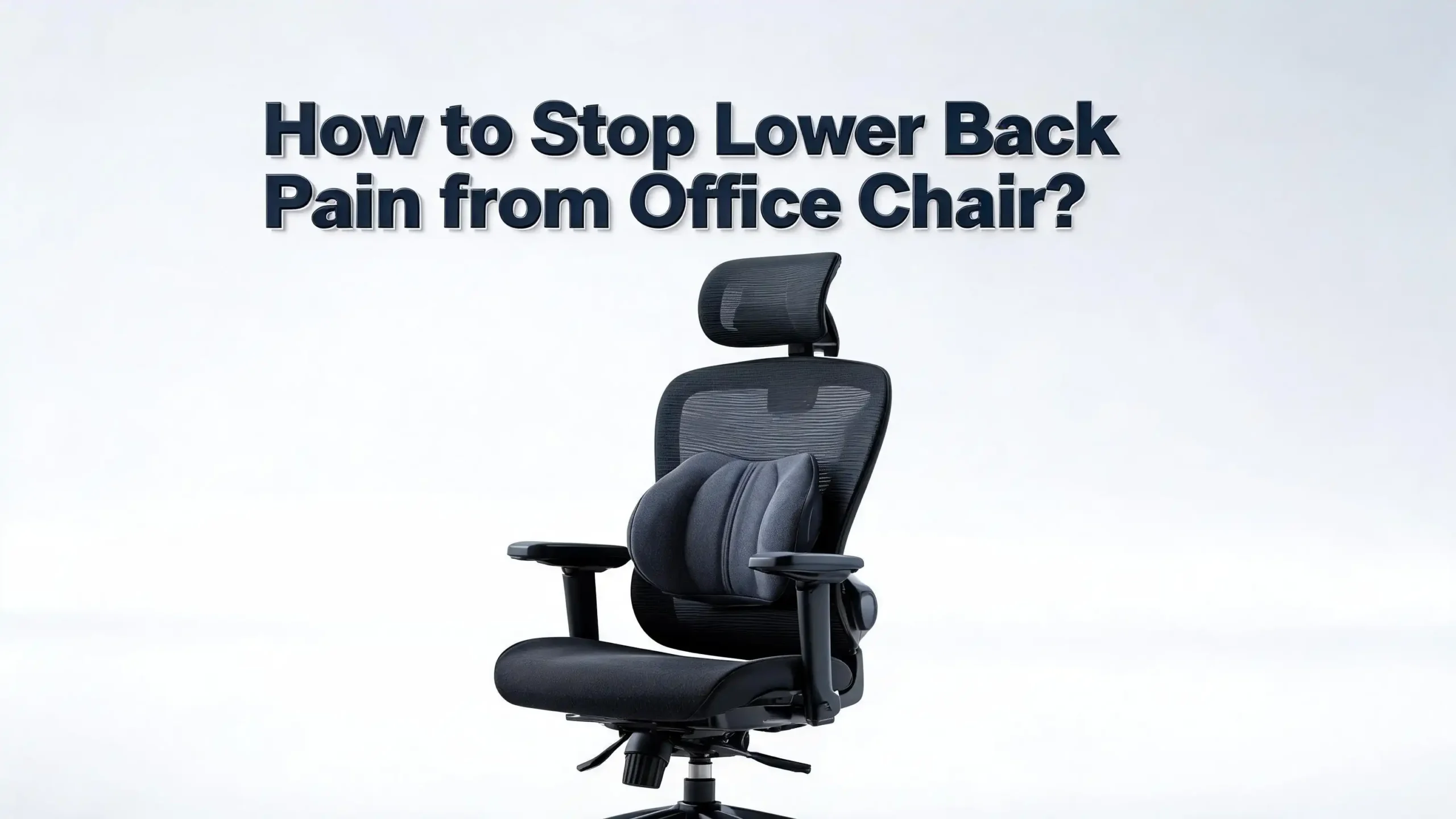
How to Stop Lower Back Pain from Office Chair?
You sit down at your desk every morning with the best intentions. A few hours later, that familiar ache creeps into your lower back. It starts as a dull stiffness and slowly builds into pain that follows you home at the end of the day.
You are not alone. More than 1 in 4 working adults in the United States experience lower back pain, according to the CDC. Studies also show that sitting increases pressure on your lumbar discs by roughly 30% compared to standing. That means your office chair could be silently damaging your spine for eight or more hours every single day.
The good news? You do not have to accept this pain as a normal part of your work life. With the right adjustments, habits, and exercises, you can eliminate or greatly reduce lower back pain caused by your office chair.
This post breaks down 15 clear, actionable solutions that address the root causes of your pain and give your back the relief it deserves. Keep reading because each section builds on the last, and the full picture could change how you feel by the end of your very next workday.
Key Takeaways
- Your sitting posture matters more than your chair. Even an expensive ergonomic chair will cause pain if you sit with poor posture. Keep your hips at a 90 degree angle, feet flat on the floor, and your lower back supported at all times.
- Take movement breaks every 30 minutes. No chair, regardless of its quality, is meant for hours of motionless sitting. Standing up, stretching, or walking for just one to two minutes every half hour reduces spinal pressure and keeps muscles loose.
- Lumbar support is essential, not optional. Your lower back has a natural inward curve called the lordotic curve. Without proper support, sitting flattens this curve and strains your spine. Use a lumbar pillow or adjust your chair’s built in lumbar feature so your lower back maintains its natural arch.
- Strengthen your core and stretch your hip flexors daily. Weak core muscles and tight hip flexors are two of the biggest contributors to lower back pain from sitting. A few targeted exercises each day can create lasting relief.
- Your monitor height, desk setup, and armrest position all affect your lower back. Pain in the lower back often starts with compensations in the upper body. A screen that is too low forces you to lean forward, which puts direct stress on your lumbar spine.
- Consider alternating between sitting and standing. Research from UT Southwestern Medical Center found that standing desks can lead to a 50% decrease in lower back pain. Even a simple sit to stand routine throughout the day helps.
Why Your Office Chair Causes Lower Back Pain
Your lower back, also called the lumbar spine, is designed to hold a gentle inward curve. This curve distributes your body weight evenly across the spine. Sitting in a standard office chair disrupts this natural curve. Your pelvis tilts backward, and your lumbar spine flattens or even rounds outward.
This shift increases the load on your spinal discs, ligaments, and surrounding muscles. Research published in the National Library of Medicine found that the pressure within lumbar discs increases by about 30% in a seated position compared to standing. Add poor posture or slouching, and that number climbs even higher.
Most standard office chairs offer little to no lumbar support. They force your spine into a C shape rather than its natural S shape. Over time, this position fatigues the muscles that stabilize your spine and puts excessive stress on the discs between your vertebrae. The result is stiffness, soreness, and sometimes sharp pain in your lower back.
How Poor Posture Multiplies the Problem
Posture is the single biggest factor in whether your office chair helps or hurts your back. Slouching forward or leaning to one side creates uneven pressure across your spine. This uneven distribution accelerates wear on the discs and joints in your lower back.
A study evaluating different sitting positions found that slumped postures contribute to kyphosis, an excessive outward curvature of the spine. This rounding compresses the front of your lumbar discs and stretches the muscles and ligaments along the back of your spine. Over weeks and months, these tissues become inflamed and painful.
Many people do not realize they are slouching. It happens gradually as you get absorbed in your work. Your shoulders round forward, your chin juts out, and your pelvis slides away from the backrest. Each of these small shifts adds pressure to your lower back. Fixing your posture is the first and most important step in stopping office chair back pain.
Set Up Your Chair Height Correctly
Chair height might seem like a small detail, but it has a huge effect on your lower back. If your chair is too high, your feet dangle and your lower back loses support. If it is too low, your knees rise above your hips, which tilts your pelvis backward and flattens your lumbar curve.
Start by sitting in your chair with both feet flat on the floor. Your thighs should be parallel to the ground, and your knees should form a 90 degree angle. You should be able to slide your fingers under your thigh at the front edge of the seat. If that space is too tight, lower your chair. If there is too much space, raise it.
If your desk is too high for you to keep your feet flat on the floor while maintaining the correct elbow position, use a footrest or a sturdy box under your feet. This simple adjustment preserves the curve in your lower back and prevents your pelvis from tilting in the wrong direction. Getting this foundation right makes every other adjustment more effective.
Adjust Your Lumbar Support for a Natural Curve
Lumbar support is not a luxury feature. It is the most critical element of any chair setup for lower back health. Your lumbar spine has a natural inward curve, and lumbar support preserves that curve while you sit.
If your chair has adjustable lumbar support, position it so that it fits into the small of your back. The support should sit between your beltline and the middle of your back. You want a gentle push that maintains a slight arch without feeling forced. Adjust both the height and the depth until you find a position that feels supportive but comfortable.
If your chair does not have built in lumbar support, use a rolled up towel, a small cushion, or a dedicated lumbar pillow. Place it against the backrest so it fills the gap between the chair and your lower back. Research from the National Institutes of Health confirmed that a lumbar support pillow improves lumbar posture and increases comfort in both healthy individuals and those with existing low back pain. Make sure your backside stays pressed firmly against the chair back so the support stays in the right position.
Position Your Monitor at the Right Height
A monitor that sits too low or too high forces you to tilt your head and neck, and that strain travels straight down to your lower back. Your screen should be at eye level so you can look straight ahead without bending your neck up or down.
The simple test is this: close your eyes while sitting upright, then open them. Your gaze should land on the center of your screen. If you look down at your monitor, you will unconsciously lean forward, which rounds your upper back and increases pressure on your lumbar spine.
Laptop users are especially vulnerable to this problem because the screen and keyboard are connected. If you use a laptop at a desk for long hours, consider placing it on a stand or a stack of books to raise the screen. Then use a separate keyboard and mouse at desk level. This setup keeps your eyes level and your spine straight. It is one of the simplest changes you can make, and it dramatically reduces the forward lean that aggravates lower back pain.
Use Armrests to Support Your Upper Body
Armrests do more for your lower back than most people realize. Properly adjusted armrests take weight off your shoulders and upper spine, which reduces the temptation to slouch forward.
Set your armrests so your elbows rest at a 90 degree angle with your forearms parallel to the ground. Your shoulders should be relaxed, not hunched up or dropped down. If the armrests are too high, your shoulders will rise and create tension in your neck and upper back. If they are too low, you may lean to one side or slump to rest on them.
When your upper body is well supported, your lower back does not have to compensate. Many cases of lower back pain begin with poor support in the upper body. The spine works as a connected chain. When one part is misaligned, other parts absorb extra stress. Correct armrest positioning keeps the entire chain in balance and prevents your lower back from bearing more load than it should.
Take Movement Breaks Every 30 Minutes
Even the most perfectly adjusted chair cannot protect your back if you sit in it for hours without moving. Prolonged static posture is one of the leading contributors to spinal degeneration, including disc disease and herniation.
The Mayo Clinic recommends standing or moving at least once every 30 minutes. You do not need a long break. Just one to two minutes of standing, stretching, or walking is enough to relieve the pressure that builds in your lumbar discs.
Set a timer on your phone or computer as a reminder. Stand up, reach your arms overhead, and gently arch your back. Walk to the kitchen for a glass of water. Do a few standing backbends. These micro breaks restore blood flow to the muscles and tissues in your lower back, bring nutrients to your spinal discs, and reset your posture. People who take regular movement breaks report less back pain, better focus, and higher productivity throughout the day.
Strengthen Your Core Muscles
Weak core muscles are one of the hidden causes of lower back pain from sitting. Your core is not just your abs. It includes the muscles in your lower back, pelvis, and hips that work together to stabilize your spine.
When these muscles are weak, your spine relies on passive structures like discs and ligaments for support. Those structures are not designed to carry the load alone. Over time, they break down and cause pain.
Three effective core exercises to start with include the plank, the bird dog, and the dead bug. Each of these targets the deep stabilizing muscles around your spine without putting excessive strain on your back. Aim for 10 to 15 minutes of core work at least three to four times per week. Within a few weeks, you will notice that sitting upright feels easier and less tiring. A strong core acts like a natural brace for your lower back. It holds your spine in alignment and absorbs the forces that your chair cannot.
Stretch Your Hip Flexors Daily
Your hip flexors connect your upper body to your lower body. When you sit for long hours, these muscles shorten and tighten. Tight hip flexors pull your pelvis forward into an anterior tilt, which increases the curve in your lower back and compresses the joints in your lumbar spine.
The best stretch for this is the kneeling hip flexor stretch. Kneel on one knee with your other foot flat in front of you. Push your hips forward gently until you feel a stretch in the front of your hip on the kneeling side. Hold for 30 seconds and repeat on the other side.
Another effective option is the standing quad stretch, which also targets the hip flexor. Do these stretches at least once in the morning and once in the afternoon. Flexible hip flexors allow your pelvis to sit in a neutral position, which reduces strain on your lower back throughout the day. This is one of the most overlooked solutions for office workers, and it often provides relief faster than any chair adjustment.
Try a Sit to Stand Desk Routine
Alternating between sitting and standing during your workday can make a significant difference. Research from UT Southwestern Medical Center found that using a standing desk can reduce lower back pain by up to 50%. A study published in the International Journal of Environmental Research and Public Health also confirmed that sit to stand desks reduce fatigue and discomfort over a six month period.
You do not need to stand all day. In fact, standing for too long creates its own problems, including leg fatigue and foot pain. The goal is to alternate between sitting and standing every 30 to 60 minutes. Start by standing for 15 to 20 minutes per hour and increase gradually as your body adapts.
If a sit to stand desk is not available to you, try placing your laptop on a high counter or shelf for part of the day. Even short standing intervals break up the continuous spinal compression that comes from sitting. The combination of sitting and standing distributes the load across your spine more evenly and prevents any single position from causing damage.
Stop Crossing Your Legs While Sitting
Crossing your legs might feel comfortable, but it creates asymmetry in your pelvis and increases rotation in your lumbar spine. A 2015 study found that sitting cross legged for extended periods elongates the piriformis muscle, contributes to sacroiliac joint instability, and increases pressure on the gluteal muscles.
This pelvic misalignment forces your lower back to compensate. One side works harder than the other, which leads to muscle imbalance and pain. Research from 2020 also showed that people with lower back pain who sat cross legged for longer periods had more slumped postures.
Keep both feet flat on the floor with your weight distributed evenly across both hips. If you catch yourself crossing your legs out of habit, place a small object between your knees as a reminder. This simple change removes a hidden source of strain that many people never connect to their lower back pain. Even posture improves naturally once you eliminate the asymmetry caused by leg crossing.
Check Your Seat Depth and Angle
Seat depth is the distance from the backrest to the front edge of your seat. If the seat is too deep, the front edge presses into the back of your knees, and you slide forward away from the backrest. This removes your lumbar support and forces you into a slumped position.
To test your seat depth, sit with your back firmly against the backrest. You should be able to fit a clenched fist between the back of your calf and the front of the seat. If you cannot, the seat is too deep. Use a lumbar cushion to bring the backrest closer, or adjust the seat depth if your chair allows it.
The angle of your seat pan also matters. A seat that tilts slightly forward encourages your pelvis to maintain its natural position and reduces the backward tilt that flattens your lumbar curve. Research from the Journal of Physical Therapy Science found that combining lumbar support with a slight forward seat tilt produced the most neutral spine and pelvic postures. Even small adjustments to seat depth and angle can eliminate a major source of lower back strain.
Consider Alternative Seating Options
Standard office chairs do not work well for everyone. If you have tried all the adjustments and still experience pain, an alternative seating option might help. Several alternatives shift the way your body distributes weight and encourage more active sitting.
Kneeling chairs position your body at an open angle and shift weight from your lower back to your shins and knees. This reduces lumbar compression and keeps your spine in a more neutral alignment. Saddle chairs tilt your pelvis forward and mimic the posture of horseback riding, which preserves the natural lumbar curve.
Exercise ball chairs require constant small adjustments to stay balanced, which engages your core muscles and prevents static posture. However, they are not ideal for extended use because they lack back support. The best approach is to rotate between two or three seating options throughout the day. This prevents any single position from overloading your lower back and keeps different muscle groups engaged.
Build a Daily Stretch Routine for Your Back
Stretching is one of the most effective ways to manage and prevent lower back pain from prolonged sitting. A short daily routine loosens tight muscles, improves blood flow, and restores range of motion in your spine.
Start with the cat cow stretch. Get on your hands and knees, arch your back upward like a cat, then drop your belly and lift your head. Repeat 10 times. This movement mobilizes your entire spine and relieves stiffness.
Next, try the knee to chest stretch. Lie on your back, pull one knee up to your chest, and hold for 20 to 30 seconds. Repeat on the other side. This stretch releases tension in the lower back and glutes.
The child’s pose from yoga is another excellent option. Kneel on the floor, sit back on your heels, and stretch your arms forward on the ground. Hold for 30 seconds. Doing these three stretches every morning and evening takes less than 10 minutes and creates a noticeable reduction in pain within one to two weeks. Consistency matters more than intensity. A short daily routine beats an occasional long session.
Know When to See a Doctor
Most lower back pain from sitting responds well to the solutions in this post. However, some symptoms require professional medical attention. If your pain lasts more than a few weeks despite making ergonomic and lifestyle changes, schedule an appointment with your doctor.
Seek immediate medical help if you experience numbness or tingling in your legs, weakness in your lower body, changes in bladder or bowel function, or pain so severe that it prevents you from completing daily activities. These symptoms may indicate a more serious condition such as a herniated disc, spinal stenosis, or nerve compression.
A doctor can perform imaging tests and physical exams to identify the exact cause of your pain. They may refer you to a physical therapist who can create a personalized exercise plan for your specific condition. Do not ignore persistent or worsening pain. Early treatment prevents small problems from becoming chronic conditions that are much harder to resolve.
Frequently Asked Questions
How long does it take for lower back pain from an office chair to go away?
Most people notice improvement within one to two weeks after making ergonomic adjustments and adding stretching to their routine. Mild cases often improve within a few days once you correct your sitting posture and start taking regular movement breaks. If your pain has been building for months, it may take four to six weeks of consistent changes before you feel significant relief. The key is staying consistent with your new habits rather than expecting overnight results.
Can a lumbar pillow replace an ergonomic office chair?
A lumbar pillow can significantly improve any chair by filling the gap between your lower back and the backrest. Research confirms that lumbar support pillows improve posture and comfort. However, a lumbar pillow alone cannot compensate for a chair with the wrong height, seat depth, or armrest position. A pillow is a great supplement, but the overall setup of your chair and workspace matters just as much. If you cannot invest in a new chair, a lumbar pillow combined with proper chair height adjustment gives you the best results.
Is it better to sit or stand for lower back pain?
Neither sitting nor standing for long periods is good for your back. The best approach is to alternate between both positions throughout the day. Studies show that using a sit to stand routine can reduce lower back pain by up to 50%. Aim to switch positions every 30 to 60 minutes. Standing engages different muscles and relieves the spinal compression caused by sitting, while sitting gives your legs and feet a rest from standing.
What is the best sitting position for lower back pain?
Sit with your feet flat on the floor and your knees at a 90 degree angle. Keep your back pressed against the chair with lumbar support filling the curve in your lower back. Your hips should be at or slightly above knee level. Avoid crossing your legs, leaning to one side, or slouching forward. Your shoulders should be relaxed, your elbows at 90 degrees on the armrests, and your screen at eye level. This position distributes your weight evenly and places the least stress on your lumbar spine.
Should I use heat or ice for lower back pain from sitting?
Ice works best for acute pain or inflammation, especially if your back feels sharp or swollen after a long day of sitting. Apply an ice pack wrapped in a cloth for 15 to 20 minutes. Heat is better for chronic stiffness and muscle tightness. A warm towel or heating pad relaxes tight muscles and improves blood flow to the area. Many people benefit from alternating between ice and heat. If your pain persists despite these measures, consult a healthcare professional for a proper evaluation.

Hi, I’m Clara! I started SitSmartGuide to help people find chairs that truly support their comfort and health — without the guesswork. After years of dealing with back pain from bad seating, I became obsessed with testing, researching, and reviewing chairs so you don’t have to learn the hard way.