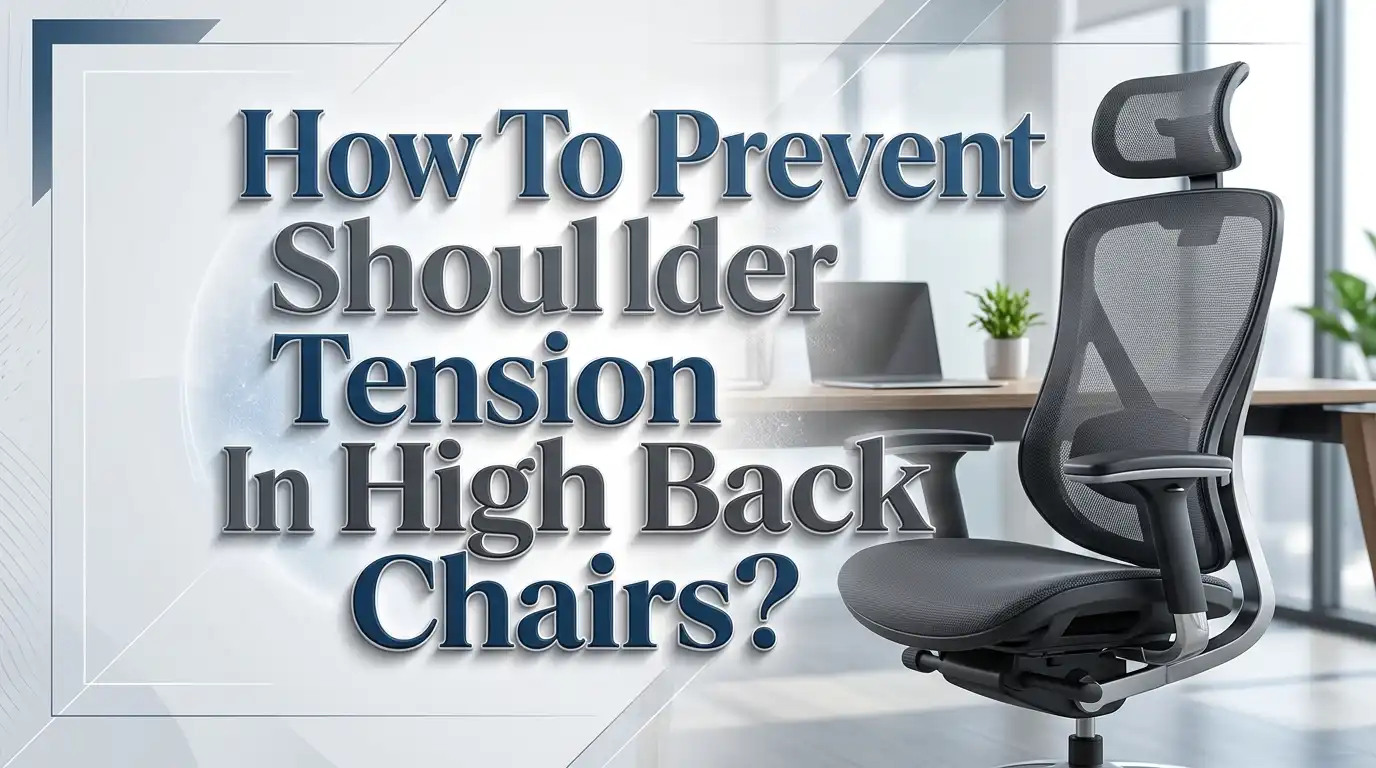
How To Prevent Shoulder Tension In High Back Chairs?
Do you sit in a high back chair for hours and end up with stiff, aching shoulders by the end of the day? You are not alone. Studies show that over 60% of office workers report shoulder and upper back tension related to prolonged sitting.
The problem often has nothing to do with the chair itself. It comes down to how the chair is adjusted, how you sit in it, and what you do (or don’t do) throughout the day.
This guide will walk you through 11 practical, step by step solutions to eliminate shoulder tension for good. Every tip is backed by ergonomic principles and real world advice from physiotherapists and workplace health experts.
Key Takeaways
- Adjust your armrests to a 90 to 100 degree elbow angle so your shoulders stay relaxed and do not shrug upward or drop down. Armrest height is one of the most overlooked causes of shoulder tension in high back chairs.
- Position the backrest to support your upper back and shoulder blades. A high back chair only helps if the backrest curvature actually meets your spine. Move the lumbar support and backrest tilt until you feel even contact along your upper back.
- Set your monitor at eye level and about an arm’s length away. A screen that is too low forces you to hunch forward, which pulls your shoulders out of alignment and creates tension in the trapezius muscles.
- Take micro breaks every 30 to 45 minutes to stand, stretch, and reset your posture. Even 60 seconds of movement can relieve built up tension and improve blood flow to the shoulder muscles.
- Perform targeted shoulder stretches at your desk including shoulder shrugs, chest openers, and shoulder blade squeezes. These exercises take less than two minutes and directly counteract the tightening that comes from static sitting.
- Match your desk height to your elbow height so your arms rest naturally while typing. A desk that is too high forces your shoulders upward, while one that is too low makes you lean forward and round your back.
Why High Back Chairs Can Cause Shoulder Tension
High back chairs are built to support the full length of your spine, from the lower back all the way up to the shoulders and sometimes the head. In theory, this is great. In practice, a high back chair that does not fit your body can push your shoulders into a strained position.
The backrest on many high back chairs has a fixed curvature. If that curve does not match the natural S shape of your spine, it can push your upper back forward or press against your shoulder blades at the wrong angle. This forces the muscles around your shoulders to work harder to hold your body in place.
Another common issue is that the headrest pushes the head forward if it is not properly positioned. This creates a chain reaction: the head tilts, the neck compensates, and the shoulder muscles tighten to stabilize everything. Many people do not realize the headrest is adjustable, so they sit with it in the default position for months.
High back chairs also tend to have wider backrests. This can cause some users, especially those with narrower frames, to splay their arms outward. The arms rest at an unnatural width, which strains the front shoulder muscles (the anterior deltoids) and upper trapezius over time.
Pros of high back chairs: Full spinal support, reduced lower back strain, built in headrest reduces neck fatigue when properly adjusted.
Cons of high back chairs: May not fit every body type, backrest curvature can misalign shoulders, headrest can push the head forward if set incorrectly.
How To Adjust the Backrest Height and Tilt Correctly
The backrest is the most important feature of a high back chair for shoulder health. Getting it right requires two adjustments: height and tilt angle. Most people set these once and never touch them again, which is a mistake.
Start by sitting all the way back in the chair with your hips pressed against the seat back. Your shoulder blades should make full contact with the upper portion of the backrest. If there is a gap between your upper back and the chair, the backrest is too far reclined or positioned too low. Raise the backrest until the lumbar support sits in the curve of your lower back and the upper section meets your shoulder blade area.
Next, adjust the tilt. A backrest tilted too far back forces you to lean your head and shoulders forward to see your screen. A tilt of about 100 to 110 degrees from the seat is ideal for most desk work. This slight recline takes pressure off the spinal discs while still allowing your shoulders to rest against the chair naturally.
If your chair has a tension knob for the recline mechanism, set it so the chair holds you in place without requiring effort. A backrest that swings too easily will not provide stable shoulder support.
Pros of correct backrest adjustment: Reduces upper back strain, distributes weight evenly across the spine, supports the natural curve of the thoracic area.
Cons: Requires trial and error for each individual, some budget chairs have limited backrest adjustability.
The Role of Armrest Height in Shoulder Comfort
Armrests play a surprisingly large role in shoulder tension. Research from ergonomic specialists consistently shows that poorly adjusted armrests are a leading cause of shoulder and neck pain in desk workers.
If your armrests are too high, they push your shoulders upward into a shrugging position. This activates the upper trapezius muscles constantly, which leads to soreness, stiffness, and even headaches. If the armrests are too low, your arms hang unsupported, and the weight of your arms pulls down on the shoulder joints.
The ideal position is simple. Sit with your back against the chair and let your shoulders drop into a completely relaxed position. Now bend your elbows at a 90 to 100 degree angle. Adjust the armrests until they just barely touch the underside of your forearms in this position. You should not feel any upward pressure on your shoulders.
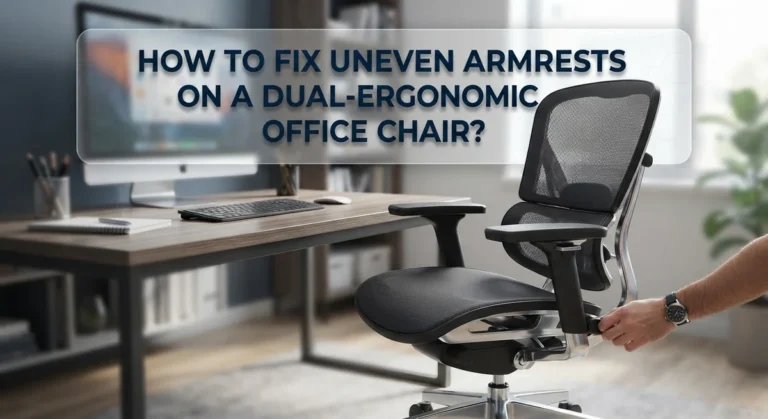
Width matters too. If the armrests are too far apart, your arms will angle outward, which creates strain on the outer shoulder. If they are too close together, your elbows press into your ribs and your shoulders rotate inward. Chairs with 3D or 4D adjustable armrests allow you to change height, width, depth, and pivot angle.
Pros of properly adjusted armrests: Reduces strain on trapezius muscles, supports forearm weight, helps maintain neutral shoulder alignment.
Cons: Many chairs have limited armrest adjustability, some users find armrests get in the way when typing.
Setting the Right Desk Height for Your Chair
Your chair does not exist in isolation. The height of your desk directly affects how your shoulders position themselves throughout the day. Even a perfectly adjusted chair will cause shoulder tension if the desk height creates an awkward arm position.
The rule is straightforward. When you sit in your adjusted chair with your feet flat on the floor and your elbows at 90 degrees, your forearms should rest parallel to the floor and level with the desk surface. Your hands should float over the keyboard without reaching up or down.
If the desk is too high, your shoulders will shrug upward every time you type or use the mouse. This constant low level activation of the shoulder muscles builds tension over hours. If the desk is too low, you will lean forward and round your upper back, which stretches the muscles between your shoulder blades and compresses the front of your shoulders.
A height adjustable desk solves this problem entirely, but if you have a fixed desk, you can raise your chair height and add a footrest to compensate. The key measurement is the distance between your seat and the desk surface, not the desk height alone.
Pros of matching desk to chair height: Eliminates forced shoulder elevation, promotes neutral wrist and arm position, supports overall spinal alignment.
Cons of fixed desks: Limited ability to make fine adjustments, may require additional accessories like keyboard trays or footrests.
Optimizing Monitor Placement To Reduce Shoulder Strain
A screen that is too low is one of the most common causes of forward head posture, and forward head posture is the fastest path to shoulder tension. When your head drifts forward even one inch, the muscles in the back of your neck and across your shoulders must work significantly harder to hold it up.
Place your monitor so the top third of the screen aligns with your eye level. This allows your eyes to look slightly downward at the center of the screen, which is the natural resting position for the eyes. The monitor should be about an arm’s length away from your face.
If you use a laptop, this is especially important. Laptop screens sit much lower than desktop monitors, which almost guarantees a hunched posture. Use a laptop stand or stack of books to raise the screen, and connect an external keyboard and mouse. This single change can dramatically reduce shoulder tension.
For dual monitor setups, place your primary monitor directly in front of you and the secondary one at a slight angle. Avoid placing both screens off to one side, as this forces constant neck rotation and creates uneven tension in the shoulder muscles on one side of your body.
Pros of correct monitor placement: Prevents forward head posture, reduces trapezius and levator scapulae strain, decreases eye fatigue.
Cons: Requires a monitor arm or stand for height adjustment, dual monitor positioning can be tricky in small workspaces.
How To Sit Properly in a High Back Chair
Even with every adjustment dialed in, poor sitting habits will undo all your work. The way you position your body in the chair matters just as much as the chair settings themselves.
Start by sitting all the way back in the chair so your lower back makes contact with the lumbar support. Many people sit on the front edge of their seat, which eliminates any benefit from the backrest. Your back should maintain contact with the chair from the lumbar region up through the upper back.
Keep your feet flat on the floor with your knees at a 90 degree angle. If your feet do not reach the floor, use a footrest. Dangling feet tilt your pelvis forward, which starts a chain of compensation that travels up through the spine and into the shoulders.
Your shoulders should be pulled slightly back and down, not pinched together forcefully. Think of gently sliding your shoulder blades into your back pockets. This engages the lower trapezius and rhomboid muscles, which are the muscles responsible for good shoulder posture.
Avoid crossing your legs or sitting with one leg tucked underneath you. These positions create pelvic asymmetry that causes uneven muscle tension all the way up to the neck and shoulders.
Pros of proper sitting posture: Uses the chair’s features as intended, reduces muscle fatigue, distributes body weight evenly.
Cons: Requires constant awareness until the habit forms, can feel uncomfortable initially if muscles are weak.
Targeted Shoulder Stretches You Can Do at Your Desk
Stretching is one of the most effective ways to release shoulder tension that has already built up during your workday. The best part is that these stretches take less than two minutes and require no equipment.
Shoulder shrugs are a great starting point. Raise both shoulders up to your ears, hold for five seconds, and then let them drop completely. Repeat this 10 times. This exercise helps reset the tension in your upper trapezius muscles and reminds your body what relaxed shoulders feel like.
Chest openers target the tight pectoral muscles that pull your shoulders forward. Clasp your hands behind your back with your palms facing inward. Slowly straighten your elbows and lift your hands away from your back until you feel a stretch across your chest. Hold for 15 to 20 seconds and repeat three times.
Shoulder blade squeezes strengthen the muscles between your shoulder blades. Sit up straight and pull your shoulder blades together as if you are trying to hold a pencil between them. Hold for five seconds and release. Do 10 repetitions.
Cross body shoulder stretches address the rear deltoid and rotator cuff area. Bring one arm across your chest, use the opposite hand to gently press it closer to your body, and hold for 15 seconds. Switch sides and repeat.
Pros of desk stretches: Immediate tension relief, no equipment needed, can be done in any office environment.
Cons: Effects are temporary without consistent practice, stretching alone will not fix poor chair setup.
The Importance of Micro Breaks for Shoulder Health
Sitting in any position for too long, no matter how ergonomically perfect, will cause muscle tension. The human body was built to move, and static positions create what physiotherapists call “positional stress.” Your muscles fatigue from holding the same contraction for extended periods.
Experts recommend taking a micro break every 30 to 45 minutes. A micro break is short, usually 60 to 120 seconds, and involves standing up, walking a few steps, and changing your body position. This brief interruption allows the shoulder muscles to release their sustained contraction and receive fresh blood flow.
You do not need to do a full exercise routine during a micro break. Simply standing up, rolling your shoulders backward five times, and taking a short walk to refill your water glass is enough. The goal is to break the static holding pattern that causes shoulder tension.
Setting a timer or using a break reminder app can help you build this habit. Many people get absorbed in their work and sit for two or three hours without moving. By the time they notice their shoulders are stiff, the tension has already set in deeply.
Some people combine micro breaks with the stretches mentioned in the previous section. This is an excellent strategy because it gives you a regular schedule for both movement and targeted stretching.
Pros of micro breaks: Prevents tension buildup before it starts, improves circulation, boosts focus and productivity.
Cons: Can disrupt workflow if not planned well, easy to forget without reminders.
Strengthening Exercises To Prevent Recurring Shoulder Tension
Stretching relieves tension in the moment, but strengthening builds the muscular endurance needed to prevent it from coming back. Weak upper back and shoulder stabilizer muscles are a root cause of tension for many desk workers.
The wall angel exercise is one of the best for this purpose. Stand with your back against a wall, arms at your sides with elbows bent at 90 degrees. Slowly slide your arms up the wall into a “Y” position, then bring them back down. Keep your arms, back, and head in contact with the wall the entire time. Do 10 to 15 repetitions daily.
Resistance band pull aparts target the rhomboids and middle trapezius muscles directly. Hold a resistance band in front of you at shoulder height with both hands about shoulder width apart. Pull the band apart by squeezing your shoulder blades together. Slowly return to the starting position. Do three sets of 15 repetitions.
Prone Y raises strengthen the lower trapezius, which is the muscle most responsible for pulling your shoulders down and back into a healthy position. Lie face down on the floor with your arms extended in a “Y” shape. Lift your arms a few inches off the floor by squeezing your shoulder blades, hold for three seconds, and lower. Do three sets of 10.
Pros of strengthening exercises: Addresses the root cause of tension, creates lasting postural improvement, reduces injury risk.
Cons: Takes several weeks to see results, requires consistency, may need guidance from a physical therapist initially.
Using Lumbar Support To Improve Upper Back Alignment
This might seem counterintuitive, but proper lumbar support is one of the best things you can do for your shoulders. The spine functions as a connected chain. When the lower back collapses, the upper back rounds forward, and the shoulders roll inward. Fixing the base of the chain corrects everything above it.
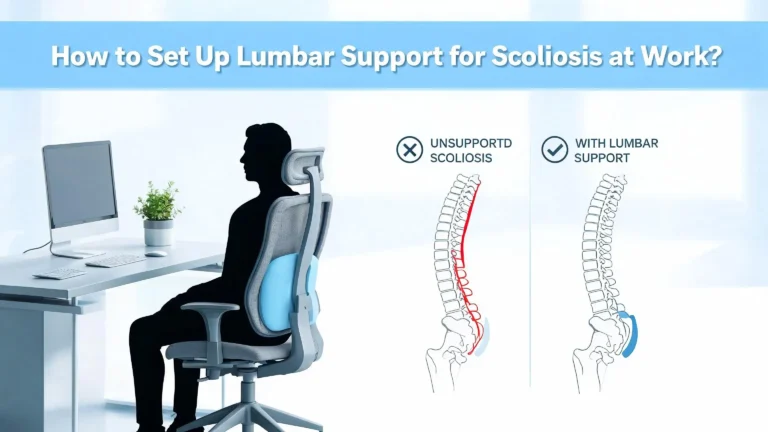
The lumbar support in your high back chair should sit in the natural inward curve of your lower back, which is roughly at belt level for most people. A common mistake is placing it too high, against the mid back, or too low, near the tailbone. Both positions fail to support the lumbar curve and allow the upper spine to slump.
If your chair’s built in lumbar support is not adjustable or does not feel adequate, you can use a small rolled up towel or a dedicated lumbar cushion. Place it in the curve of your lower back and sit back against it. You should feel the support gently pressing your lower back forward, which naturally opens the chest and pulls the shoulders back.
Air adjustable lumbar supports are available on many mid range and higher end chairs. These allow you to inflate or deflate the support with a pump mechanism until you find the exact level of firmness that works for your body.
Pros of proper lumbar support: Corrects the foundation of spinal alignment, naturally opens chest and shoulders, reduces upper back fatigue.
Cons: Finding the exact placement takes experimentation, additional cushions may shift during the day.
How Keyboard and Mouse Placement Affects Your Shoulders
Many people focus entirely on their chair and forget about the position of their hands. Your keyboard and mouse placement directly determines where your arms, and therefore your shoulders, spend the entire workday.
Your keyboard should be placed directly in front of you, close enough that your elbows stay at your sides while typing. If the keyboard is too far away, you will reach forward, which rounds your shoulders and activates the upper trapezius. If it is off to one side, you will twist your torso, creating asymmetric shoulder strain.
The mouse should sit right next to the keyboard at the same height. A common setup mistake is placing the mouse behind the keyboard or on a different surface level. This forces your arm to extend and lift, which causes tension in the shoulder, especially on the dominant side. Some physiotherapists refer to this as “mouse shoulder.”
Using a keyboard tray can help bring these input devices to the correct height, especially if your desk is too tall. The tray should position the keyboard so your wrists stay flat and your forearms remain parallel to the floor. Negative tilt keyboard trays, which angle the keyboard slightly away from you, are particularly effective at keeping the wrists and shoulders in a neutral position.
Pros of correct keyboard and mouse placement: Eliminates reaching strain, prevents “mouse shoulder,” maintains arm symmetry.
Cons: Desk layout may need to be reorganized, keyboard trays require installation.
Building a Daily Routine To Keep Shoulder Tension Away
Preventing shoulder tension is not about one single fix. It is about combining all these adjustments and habits into a daily routine that keeps your body aligned and your muscles healthy.
Start your morning by checking your chair settings. Confirm the backrest height, armrest position, and lumbar support before you begin working. This takes 30 seconds and ensures you are not sitting in a position someone else adjusted.
Every 30 to 45 minutes, take a micro break. Stand up, roll your shoulders backward 10 times, and do a 15 second chest opener stretch. This habit alone can reduce shoulder tension by a significant margin over the course of a full workday.
At lunch, spend five minutes doing the strengthening exercises described earlier: wall angels, resistance band pull aparts, or prone Y raises. You do not need to do all of them every day. Rotate through the exercises across the week to keep the routine manageable.
At the end of your workday, do a final round of stretches. Focus on the shoulder shrugs, cross body stretches, and chest openers. This helps release any tension that accumulated during the afternoon.
Track your progress by noting your shoulder pain level at the end of each day on a scale of 1 to 10. Over two to four weeks, you should see a clear downward trend as your body adapts to the better setup and stronger muscles.
Pros of a daily routine: Creates sustainable, long term results, builds positive habits, addresses multiple causes of tension.
Cons: Requires discipline and consistency, results are gradual rather than instant.
When To See a Professional About Persistent Shoulder Pain
Sometimes shoulder tension goes beyond what ergonomic adjustments and exercises can fix. If your pain persists for more than two to three weeks despite making changes to your chair setup and daily habits, it is time to see a healthcare professional.
A physical therapist can assess your posture, identify specific muscle imbalances, and create a personalized exercise program. They may find that your shoulder tension is related to a rotator cuff issue, thoracic outlet syndrome, or cervical spine dysfunction rather than your chair setup alone.
Warning signs that require prompt attention include numbness or tingling in the arms or hands, sharp pain with specific movements, weakness when lifting objects, and pain that wakes you up at night. These symptoms suggest a structural issue that needs medical evaluation.
An ergonomic assessment from a certified professional can also help. These specialists visit your workspace, take measurements, and make precise recommendations for your chair, desk, monitor, and input device positions. Many employers offer this service as part of their workplace health programs.
Do not ignore persistent shoulder tension or try to push through it. Early intervention prevents chronic pain and can save you from more serious conditions down the line. A combination of professional guidance and the self care strategies in this guide will give you the best outcome.
Pros of professional help: Accurate diagnosis, personalized treatment plans, addresses underlying conditions.
Cons: Can be costly without insurance, requires appointments and travel time.
Frequently Asked Questions
Why do my shoulders hurt after sitting in a high back chair all day?
Shoulder pain after prolonged sitting usually comes from a combination of poor chair adjustment, incorrect desk height, and lack of movement. If your armrests are too high, your shoulders shrug upward all day, which exhausts the upper trapezius muscles. A backrest that does not support your upper back also forces your shoulder muscles to stabilize your torso on their own. Adding micro breaks and adjusting your chair to the specifications described in this guide will address the most common causes.
How high should my armrests be to prevent shoulder tension?
Your armrests should support your forearms when your elbows are bent at a 90 to 100 degree angle and your shoulders are completely relaxed. The armrests should lightly touch the underside of your forearms without pushing your shoulders upward. If you notice your shoulders rising while your arms rest on the armrests, they are set too high. Lower them until you can sit with completely dropped, relaxed shoulders.
Can a high back chair actually make shoulder pain worse?
Yes, it can. A high back chair that does not fit your body, has a headrest that pushes your head forward, or has a backrest curvature that misaligns with your spine can create more problems than a basic chair. The key is proper adjustment. A well adjusted high back chair reduces shoulder tension significantly, but one in its default factory settings may not suit your body at all.
How often should I take breaks to prevent shoulder tension?
Ergonomic experts recommend taking a micro break every 30 to 45 minutes. Each break should last 60 to 120 seconds and involve standing, walking a few steps, and performing a quick stretch. This prevents the sustained muscle contraction that leads to tension buildup. You do not need to do anything strenuous during these breaks. Simple shoulder rolls and a short walk are effective.
What are the best exercises to prevent shoulder tension from sitting?
The most effective exercises include shoulder shrugs, chest openers, shoulder blade squeezes, wall angels, and resistance band pull aparts. Stretches provide immediate relief, while strengthening exercises build the muscular endurance needed to hold good posture throughout the day. Doing stretches during micro breaks and strengthening exercises during lunch or after work creates a balanced approach that delivers lasting results.
Should I use a headrest on my high back chair?
A headrest can be beneficial, but only if it is adjusted correctly. The headrest should support the back of your head without pushing it forward. If the headrest tilts your head into a chin forward position, it will increase tension in your neck and shoulders. Adjust the headrest so your head rests naturally against it while your eyes look straight ahead at your monitor. If you cannot adjust it properly, you may be better off not using it at all.

Hi, I’m Clara! I started SitSmartGuide to help people find chairs that truly support their comfort and health — without the guesswork. After years of dealing with back pain from bad seating, I became obsessed with testing, researching, and reviewing chairs so you don’t have to learn the hard way.