
How to Adjust Your Office Chair for Upper Back Tension?
Do you feel a tight, burning ache between your shoulder blades by the end of every workday? You are not alone. Studies show that over 53% of office workers report neck and upper back symptoms from sitting at a desk. Research published in peer-reviewed journals also found that upper back pain affects nearly 35% of desk workers on a regular basis. The problem often starts with one simple thing: your office chair is not set up for your body.
Most people sit in their chairs and never touch a single adjustment lever. They accept the factory settings and wonder why their upper back feels like a knotted rope after lunch. The truth is that a few small changes to your chair can dramatically reduce upper back tension.
This guide walks you through every adjustment, stretch, and habit change you need to fix upper back tension at your desk. Each section gives you a clear action you can take today. By the time you finish reading, you will know exactly how to set up your chair, your screen, and your body for a pain free workday. Let’s get into it.
Key Takeaways
- Your chair’s backrest height is the most overlooked adjustment. Most upper back tension starts because the backrest does not contact the right area of your spine. Move the backrest up or down until it supports both your lumbar curve and your mid back region.
- Armrests play a direct role in upper back tension. If your armrests are too low, your shoulders droop and your upper back muscles work overtime. If they are too high, your shoulders shrug upward and create tension in your trapezius muscles. Set armrests so your elbows rest at a relaxed 90 degree angle.
- Monitor height changes everything. A screen placed too low forces your head forward and rounds your upper back. Position your monitor so the top third of the screen sits at eye level. This single change reduces strain on the muscles between your shoulder blades.
- Seat height affects your entire spine, including the upper back. A seat that is too high or too low creates a chain reaction. Your pelvis tilts, your lower back flattens, and your upper back compensates by rounding forward.
- Movement breaks are not optional. Even a perfectly adjusted chair cannot prevent tension if you sit still for hours. Stand, stretch, and move for at least two minutes every 30 minutes.
- Lumbar support and upper back tension are connected. When your lower back lacks support, your whole spine slumps. This forces the upper back muscles to strain as they try to hold your torso upright.
Why Does Upper Back Tension Happen at Your Desk?
Upper back tension at a desk job comes down to posture breakdown over time. Your body can only hold a single position for about 20 minutes before muscles begin to fatigue. After that, you start to slouch. Your shoulders roll forward. Your head drifts ahead of your spine. This puts enormous strain on the muscles of the thoracic spine, which is the area between your neck and lower back.
According to healthcare experts, sitting and staring at a computer screen shortens the chest muscles and pulls on the upper back muscles. This imbalance creates that familiar tightness and burning sensation between the shoulder blades. The longer you sit without support or movement, the worse it gets.
Your office chair plays a huge role in this process. A chair with poor upper back support lets your torso collapse forward. A chair with no lumbar support flattens your lower spine and forces your upper back into a rounded position. The fix starts with understanding that your upper back tension is a symptom, and your chair setup is often the cause.
How Seat Height Affects Your Upper Back
Seat height is the first thing you should adjust. It sets the foundation for your entire sitting posture. Stand in front of your chair and lower the seat until the edge sits just below your kneecap. Then sit down and check your position.
Your feet should rest flat on the floor. Your thighs should be roughly parallel to the ground. Your knees should bend at about a 90 degree angle. If your seat is too high, your feet dangle and your body shifts forward to stay balanced. This rounds your upper back and creates tension.
If your seat is too low, your knees rise above your hips. This tilts your pelvis backward and flattens the natural curve of your lower spine. Your upper back then curves forward to compensate. Use a footrest if you cannot get your feet flat on the floor at the correct seat height. You can also slide your fingers under your thigh at the front edge of the seat. If the space feels tight, lower the seat. If there is too much space, raise it.
How to Adjust Your Backrest for Upper Back Support
The backrest is the most important adjustment for upper back tension. Many office chairs allow you to change the backrest height. Others let you adjust the angle or the depth of the lumbar support. You need to use all available adjustments.
Start by sitting all the way back in your chair so your bottom presses against the backrest. The backrest should contact your entire spine from your lower back up through your mid back. If the chair has a separate lumbar support, move it up or down until it fills the inward curve of your lower back, usually right at or just above your belt line.
Once your lower back is supported, check the upper portion of the backrest. It should reach at least to your mid back. If your chair has a tall back, it may extend to your shoulder blade area. Tighten the tilt tension knob so the backrest does not collapse backward when you lean into it. A slight recline of 100 to 110 degrees is often more comfortable than sitting bolt upright. This angle distributes your body weight more evenly and reduces the load on your upper back muscles.
Setting Up Armrests to Relieve Shoulder and Upper Back Strain
Armrests are one of the most underused features on office chairs. Many people ignore them entirely. This is a mistake because armrests take weight off your shoulders and upper back. Without arm support, your trapezius and rhomboid muscles must hold the full weight of your arms all day.
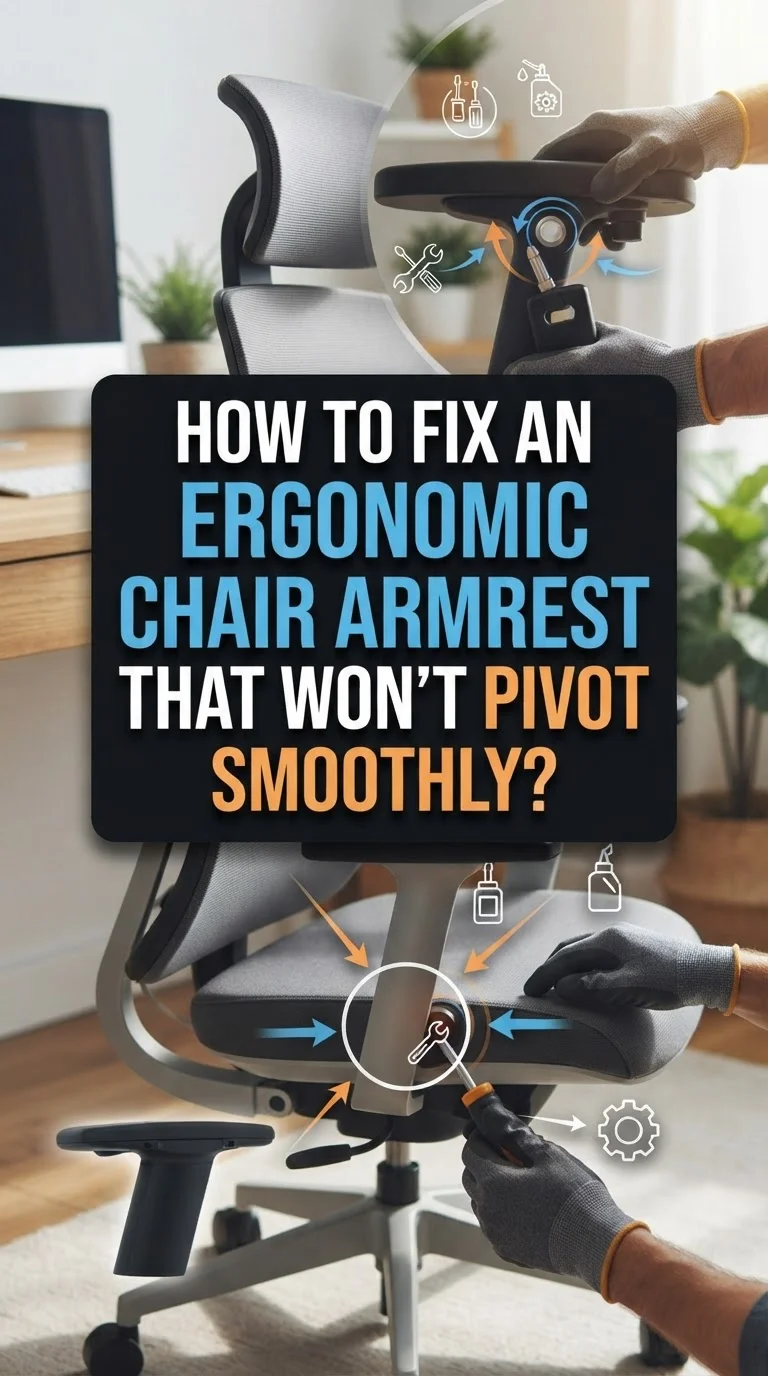
Adjust your armrests so they lightly support your elbows when your upper arms hang naturally at your sides. Your elbows should bend at roughly 90 degrees. Your forearms should rest gently on the pads without lifting your shoulders or forcing them to drop.
If your armrests are too high, your shoulders will shrug upward and create constant tension in your upper trapezius muscles. If they are too low, your shoulders will sag and pull on the muscles between your shoulder blades. Check that your armrests do not push you away from your desk either. Some armrests are too wide and force your elbows outward, which rotates your shoulders and strains your upper back. If your chair allows width adjustment, bring the armrests inward so your arms rest close to your body.
Why Monitor Height Matters for Upper Back Tension
A monitor placed at the wrong height forces your body into a posture that strains your upper back. This is one of the most common and overlooked causes of tension between the shoulder blades. If your screen sits too low, you tilt your head down and round your upper back forward. Over hours, this creates significant strain.
Position your monitor so the top third of the screen is at your natural eye level. Close your eyes while sitting upright, then open them. Your gaze should land near the center or upper third of the screen. If the screen is too low, raise it with a monitor stand or even a stack of books.
Your monitor should also sit about an arm’s length away from your face. A screen that is too close makes you lean back unnaturally. A screen that is too far makes you lean forward. Both positions affect your upper back. Laptop users face the biggest challenge here because the keyboard and screen are attached. Consider using a separate keyboard and mouse, then raising the laptop to the correct eye level.
How Lumbar Support Connects to Upper Back Pain
Many people think lumbar support only helps the lower back. This is only part of the story. Your spine works as a connected chain. When your lower back loses its natural inward curve, the rest of your spine compensates. Your mid back rounds forward. Your shoulders roll inward. Your head pushes ahead of your body.
This chain reaction puts heavy strain on the upper back muscles. They work constantly to keep your torso from collapsing forward. Over time, these muscles develop tension, knots, and pain. The fix is surprisingly simple: support the lower back, and the upper back relaxes.
Adjust your lumbar support so it presses gently into the curve of your lower back. It should feel supportive but not forceful. If your chair does not have built in lumbar support, use a small rolled up towel or a firm cushion. Place it in the small of your back and press your bottom against the backrest. This small change can reduce upper back tension within days.
Adjusting Seat Depth for Better Spinal Alignment
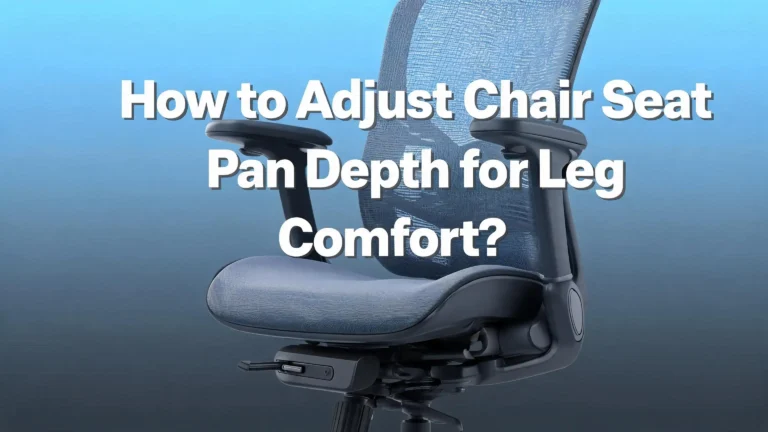
Seat depth is the distance from the backrest to the front edge of the seat. If the seat is too deep, the backrest will not contact your lower or upper back properly. You will sit forward on the seat and lose all back support. If the seat is too shallow, it will not support your thighs.
Check your seat depth by sitting all the way back in the chair. There should be a gap of two to three finger widths between the front edge of the seat and the back of your knees. If the seat presses into the back of your knees, it is too deep. This cuts off circulation and forces you to slide forward, which removes back support.
Many modern office chairs have a seat depth adjustment, sometimes called a seat slider. Use this to shorten or lengthen the seat pan. If your chair does not have this feature, you can place a lumbar cushion against the backrest to effectively bring the back support closer to your body. This helps you sit in full contact with the backrest without sliding forward.
The Role of Tilt and Recline in Upper Back Comfort
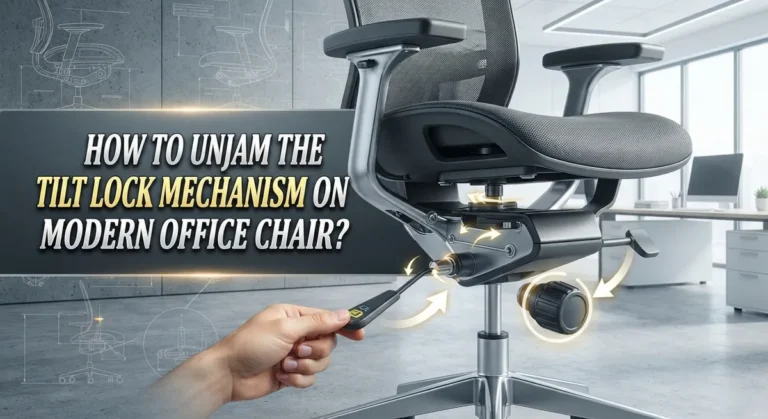
Most office chairs have a tilt or recline function. This feature changes the angle of the backrest relative to the seat. Many people lock their chair in a fully upright position and never explore other angles. However, a slight recline of 100 to 110 degrees can significantly reduce pressure on your spine.
Research shows that sitting perfectly upright at 90 degrees actually increases the load on your spinal discs compared to a slight recline. A small backward tilt opens up the angle between your torso and thighs, distributes weight more evenly, and lets your upper back muscles relax against the backrest.
Adjust the tilt tension so the chair supports you without feeling like it is falling backward. You want enough resistance that the backrest holds you securely. Many chairs have a tension knob underneath the seat. Turn it clockwise to increase resistance and counterclockwise to decrease it. Find a setting where you can lean back gently and feel supported. Your upper back should rest against the backrest without any effort from your muscles.
Desk Height and Keyboard Placement for Upper Back Relief
Your chair does not exist in isolation. The height of your desk and the position of your keyboard directly affect your upper back. If your desk is too high, you raise your shoulders to type. If it is too low, you hunch forward. Both positions create tension in the upper back.
Your desk surface should allow your elbows to rest at a 90 degree angle when your arms hang naturally. Sit close to your desk with your upper arms parallel to your spine. Your forearms should extend straight forward onto the desk surface. If your desk is too high and you cannot adjust it, raise your chair height and use a footrest to keep your feet flat.
Place your keyboard directly in front of you, close enough that you do not need to reach forward. Reaching forward to type pulls your shoulders ahead of your spine and rounds your upper back. A keyboard tray that sits just below desk height can help you achieve the right position. Keep your mouse close to the keyboard on the same surface so you do not twist or reach to the side.
Stretches You Can Do at Your Chair to Release Upper Back Tension
Even the best chair setup needs support from your muscles. Simple stretches done at your desk can release built up tension and improve blood flow to your upper back. Try these four stretches throughout your day.
Shoulder shrugs are the easiest starting point. Lift both shoulders up to your ears, hold for five seconds, then let them drop completely. Repeat five times. This releases tension in the upper trapezius muscles that run from your neck to your shoulders.
Seated spinal twists help loosen the muscles along your mid and upper back. Sit upright, place your right hand on the outside of your left knee, and gently twist your torso to the left. Hold for 15 seconds and repeat on the other side. This movement also helps improve mobility in the thoracic spine.
Shoulder blade squeezes target the rhomboid muscles between your shoulder blades. Sit tall, pull your shoulder blades together as if you are trying to hold a pencil between them, and hold for five seconds. Repeat ten times. This exercise directly counteracts the forward rounding that causes upper back tension.
Neck rolls complete the routine. Slowly roll your head in a circle, starting by dropping your chin to your chest, rolling to one side, tilting back slightly, and rolling to the other side. Do five circles in each direction.
Why Movement Breaks Are Essential for Upper Back Health
No chair, no matter how perfectly adjusted, can replace movement. Your body is designed to move. Prolonged sitting creates what experts call a “static load” on your muscles and spine. The U.S. Occupational Safety and Health Administration identifies static postures as a primary risk factor for musculoskeletal disorders.
Ergonomics researchers suggest a rhythm of 20 minutes sitting, 8 minutes standing, and 2 minutes of movement or stretching. This cycle keeps blood flowing to your muscles, prevents fatigue, and gives your upper back a chance to reset. Even a short walk to refill your water bottle counts.
Set a timer on your phone or computer. When it goes off, stand up. Roll your shoulders back. Walk for a minute. These small habits compound over time and make a dramatic difference in how your upper back feels at the end of the day. If you have access to a sit stand desk, alternate between sitting and standing throughout the day. Standing gives your upper back muscles a different position to work in and breaks the cycle of tension buildup.
Common Chair Setup Mistakes That Cause Upper Back Pain
Several common mistakes lead to upper back tension even when people think they have set up their chair correctly. The first is sitting on the front edge of the chair. This removes all back support and forces your muscles to hold your torso upright on their own. Always sit with your back pressed against the backrest.
The second mistake is keeping the backrest locked at 90 degrees. This puts maximum pressure on your spine. Allow some recline. A slight backward angle reduces the load on your upper back and helps your muscles relax.
The third mistake is ignoring armrest height. People often set them once and forget about them. Your armrest height should match the task you are doing. Typing may require a different height than reading or writing by hand. Check your armrests each time your task changes.
The fourth mistake is placing the monitor off to one side. This forces you to twist your torso, which creates uneven tension in your upper back muscles. Center your monitor directly in front of your face. If you use two monitors, angle them in a slight V shape so you can see both without rotating your spine.
Building Long Term Habits for a Pain Free Upper Back
Fixing upper back tension is not a one time event. It requires consistent habits. Start by checking your chair setup at the beginning of each workday. Adjustments can shift over time, especially if other people use your chair. A quick 30 second check of seat height, backrest position, and armrest height keeps everything in order.
Invest time in strengthening the muscles of your upper back and core outside of work. Exercises like rows, face pulls, and planks build the muscular endurance your body needs to maintain good posture throughout the day. A strong upper back resists fatigue and tension far better than a weak one.
Pay attention to how you sit during non work activities too. Couch posture, driving posture, and phone scrolling posture all affect your upper back. The habits you build away from your desk carry over to how you feel at your desk. Consistency across your entire day produces the best results.
FAQs
How often should I adjust my office chair?
Check your chair settings at the start of each workday. If you share your chair or if you notice tension building up during the day, make adjustments as needed. Small changes in seat height or backrest angle can make a big difference, especially after you have been sitting for a few hours.
Can a cheap office chair still help with upper back tension?
Yes. Even a basic office chair can be improved with proper adjustments. Focus on seat height first. Add a lumbar support cushion if the chair lacks built in support. Raise your monitor to eye level and use the armrests if available. These changes cost nothing and can reduce upper back strain significantly.
Should I use a lumbar pillow if my chair already has lumbar support?
It depends on whether the built in support fits your body. If the lumbar pad does not reach the curve of your lower back or feels too flat, a separate lumbar pillow can fill the gap. The goal is to maintain the natural inward curve of your lower spine, which prevents your upper back from rounding forward.
Is it better to sit upright at 90 degrees or recline slightly?
Research suggests that a slight recline of 100 to 110 degrees reduces disc pressure and upper back muscle strain compared to sitting at a strict 90 degree angle. Recline gently and make sure your backrest supports you. Avoid reclining so far that you need to crane your neck forward to see your screen.
How do I know if my upper back tension is from my chair or a medical issue?
If adjusting your chair, monitor, and habits reduces your tension within a week or two, the cause was likely ergonomic. If pain persists, worsens, or includes symptoms like numbness, tingling, or radiating pain down your arms, consult a healthcare professional. Persistent upper back pain can sometimes signal a condition that needs medical attention.
What is the single most important chair adjustment for upper back tension?
Backrest height and lumbar support adjustment have the greatest impact on upper back tension. When your lower and mid back are properly supported, your upper back muscles can relax. Pair this with the correct monitor height and you address the two biggest causes of desk related upper back strain.

Hi, I’m Clara! I started SitSmartGuide to help people find chairs that truly support their comfort and health — without the guesswork. After years of dealing with back pain from bad seating, I became obsessed with testing, researching, and reviewing chairs so you don’t have to learn the hard way.