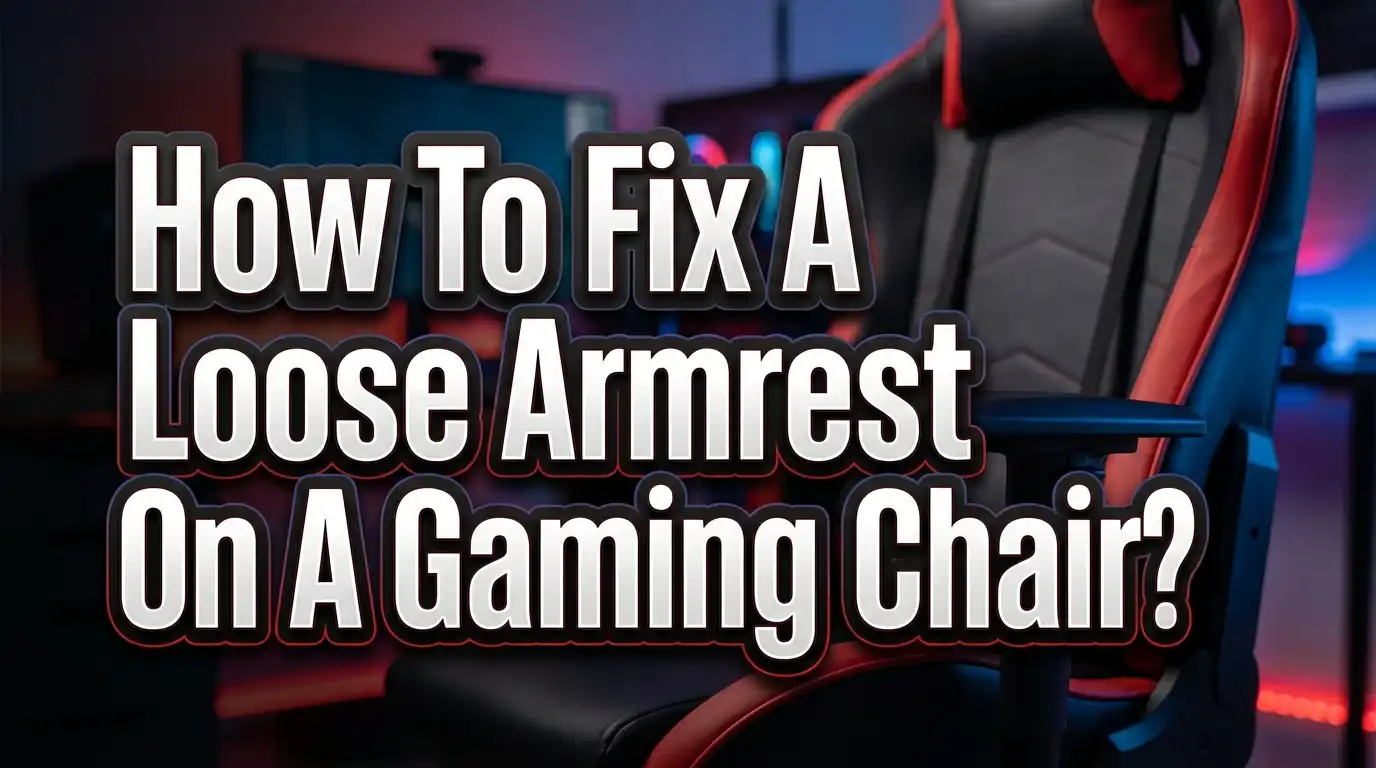
How To Fix A Loose Armrest On A Gaming Chair?
A wobbly armrest on your gaming chair can ruin your entire setup. You shift your elbow, lean in for a clutch play, and the armrest slides sideways or drops down. It breaks your focus and can even cause wrist and shoulder strain over time.
The good news? Most loose armrest problems are easy to fix at home. You do not need special skills or expensive tools.
This guide walks you through every common cause of a loose gaming chair armrest and gives you clear, practical solutions.
Read on to get your armrest solid and stable again so you can focus on what matters: your game, your work, or your comfort.
Key Takeaways
- Loose armrests are usually caused by worn bolts, cracked brackets, or degraded padding. Identifying the root cause is the first step to a lasting fix.
- A basic toolkit is all you need for most repairs. An Allen wrench set, a Phillips screwdriver, and some threadlocker adhesive will handle the majority of armrest issues.
- Tightening the mounting bolts underneath the seat is the most common fix. Bolts loosen naturally over months of use due to vibration and movement.
- Worn plastic bushings or brackets may need full replacement. If tightening bolts does not solve the wobble, inspect the plastic components for cracks or wear.
- Threadlocker adhesive (such as Loctite Blue 242) prevents bolts from loosening again. Apply a small drop before reinserting any bolt for a long term solution.
- Contact your chair manufacturer if the armrest mechanism itself is broken. Many brands offer replacement armrest assemblies under warranty, and using genuine parts ensures a proper fit.
Why Does Your Gaming Chair Armrest Get Loose
Gaming chair armrests take a lot of daily stress. Every time you lean on them, push yourself up, or rest your arms during a long session, the connection points absorb force. Over weeks and months, this repeated pressure causes mounting bolts to gradually loosen. Vibrations from movement speed up the process.
The armrest assembly on most gaming chairs connects to the seat base through metal bolts, plastic brackets, and internal bushings. These parts work together to hold the armrest firm. When even one component starts to fail, the entire armrest begins to wobble.
Temperature changes also play a role. Metal expands and contracts slightly with heat and cold. If your room temperature shifts often, this thermal cycling can cause bolts to lose their grip over time. Plastic components are especially vulnerable because they can warp, compress, or crack under repeated stress.
Chairs with adjustable armrests (2D, 3D, or 4D types) have more moving parts. More moving parts mean more potential failure points. A 4D armrest, for example, adjusts in four directions: height, width, depth, and rotation. Each direction of movement relies on its own set of internal fasteners and bushings that can wear out independently.
Understanding why the problem happens helps you fix it properly the first time. A quick tighten might work for now, but knowing the root cause lets you apply a lasting solution.
Tools You Need Before You Start
Gathering the right tools before you flip your chair over saves time and frustration. The good news is you probably already own most of what you need. Here is what to have on hand for a thorough armrest repair.
An Allen wrench set (also called hex keys) is the most important tool. Most gaming chairs use Allen head bolts in sizes ranging from 4mm to 6mm. A Phillips head screwdriver handles the smaller screws that attach armrest pads and plastic covers. Keep a flat head screwdriver nearby too for prying off decorative caps.
You will also want threadlocker adhesive (medium strength, such as blue Loctite 242). This liquid goes on bolt threads before you tighten them. It prevents bolts from vibrating loose again. A single small tube will last through dozens of repairs.
Pick up a few metal washers from any hardware store. These flat discs sit between the bolt head and the mounting surface. They spread the clamping pressure over a wider area, which is especially useful when bolts press against plastic parts.
Finally, grab a flashlight or headlamp and a clean cloth. The flashlight helps you see into tight spaces under the seat pan. The cloth keeps your work area clean and gives you a place to organize small parts so nothing rolls away.
Pros of preparing your toolkit in advance: Repairs go faster, you avoid stripped bolts from using the wrong tool, and you can complete the job in one sitting. Cons: You may need to purchase threadlocker or washers if you do not have them, adding a small cost of a few dollars.
How To Identify The Type Of Loose Armrest Problem
Not all armrest wobbles are the same. Identifying the exact type of looseness tells you which fix to use. There are three main types of armrest problems you will encounter.
The first is base wobble. This means the entire armrest assembly moves where it connects to the seat. You can test this by gripping the armrest at its lowest point near the chair seat and pushing it side to side. If you feel movement right at the seat connection, the mounting bolts underneath are loose.
The second type is pad wobble. The armrest pad (the cushioned top part where your arm rests) moves, but the vertical post stays firm. This usually means the screws holding the pad to the post have loosened. You can test this by holding the post with one hand and wiggling the pad with the other.
The third type is height mechanism slip. This happens when the armrest slowly sinks or will not stay at your chosen height. The internal locking mechanism has worn out or the button that controls the height lock has failed. This problem requires a different fix than simple bolt tightening.
Take two minutes to run these three tests before you start any repair work. Knowing your problem type lets you jump straight to the right solution section in this guide. It also prevents you from disassembling parts that do not need attention.
Fixing Loose Mounting Bolts Under The Seat
This is the most common fix for a wobbly gaming chair armrest. Loose mounting bolts account for the majority of armrest problems. The repair takes about 10 to 15 minutes.
Start by flipping your chair upside down or tilting it on its side on a soft surface. Look at the underside of the seat pan. You will see two to four bolts per armrest connecting the metal bracket to the seat base. These are usually M6 or M8 Allen head bolts.
Step 1: Use the correct size Allen wrench to test each bolt. Turn each one clockwise. If it moves easily, that bolt was loose. Step 2: Loosen all the bolts for that armrest by a quarter turn. This lets you reset the alignment. Step 3: Push the armrest bracket flat against the seat base. Hold it there. Step 4: Tighten the bolts in a cross pattern, giving each bolt a quarter turn at a time. Repeat until all bolts are snug.
Do not overtighten. The seat base on many gaming chairs is made from plywood or particle board. Too much force strips the threads or cracks the wood. Firm and snug is the goal, not maximum force.
For a long term fix, remove each bolt one at a time, apply one drop of blue threadlocker to the threads, and reinstall. The threadlocker cures in about 24 hours and prevents the bolt from vibrating loose again.
Pros of this method: Fast, easy, and solves the most common cause. No replacement parts needed. Cons: If the bolt holes are already stripped, tightening alone will not work and you will need a different approach.
Tightening The Armrest Pad Screws
When the armrest pad wobbles on top of the post but the post itself is solid, the fix is in the pad connection. Most armrest pads attach with two to four small Phillips head screws located on the underside of the pad or hidden beneath a plastic cover.
Look for a plastic trim piece or decorative cover on the armrest structure. Gently pry it off with a flat head screwdriver. Underneath, you will find the screws that hold the pad to the adjustment mechanism. Some chairs hide these screws beneath stick on labels or rubber plugs.
Remove each screw, clean the threads with a dry cloth, and inspect the screw holes. If the holes look clean and undamaged, apply a tiny drop of threadlocker to each screw and reinstall them. Tighten each screw evenly using a star pattern if there are four screws.
Be careful not to lose any small springs or washers that may sit between the pad and the mechanism. These parts help the adjustment buttons work properly. Place them on your cloth in the order you removed them so you can put everything back correctly.
After tightening, test the pad by pressing down on it and wiggling it side to side. It should feel solid with no play. If you still feel movement, the plastic mounting posts inside the pad may be cracked. In that case, you will need to replace the armrest pad assembly.
Pros of this method: Simple repair that requires only a screwdriver. Quick to complete. Cons: Hidden screws can be hard to find. Plastic mounting posts may crack during removal if you use too much force.
Using Threadlocker Adhesive For A Permanent Fix
Threadlocker adhesive is one of the best tools for fixing a loose armrest that keeps coming back. It is a liquid that you apply to bolt threads before installation. The adhesive fills the tiny gaps between the bolt and the threaded hole, creating friction that stops the bolt from turning on its own.
You want medium strength threadlocker (typically sold as “blue” threadlocker). This type holds bolts firmly but still allows you to remove them later with a standard wrench. Avoid red or high strength threadlocker for chair repairs. Red threadlocker requires heat to remove and is overkill for furniture applications.
Here is how to apply it correctly. Remove the bolt completely. Clean both the bolt threads and the hole with a dry cloth to remove dust and grease. Apply one or two small drops of threadlocker to the middle section of the bolt threads. You do not need to coat the entire bolt. Reinstall the bolt and tighten it to the proper snugness.
The threadlocker takes about 24 hours to fully cure. During this time, avoid putting heavy pressure on the armrest. After curing, the bond will hold the bolt in place through vibrations and daily use.
Pros of using threadlocker: Prevents recurring looseness, costs only a few dollars, easy to apply, and does not damage chair components. Works on both metal and plastic threaded connections. Cons: Requires 24 hours of cure time before full use. Must be reapplied if you ever remove the bolt again.
Fixing A Stripped Bolt Hole In The Chair Base
A stripped bolt hole is a common problem that occurs when bolts have been overtightened or repeatedly loosened and retightened. The threads inside the hole are damaged, so the bolt spins freely and never grips. This requires a slightly more advanced fix.
The easiest solution for a stripped hole in wood or particle board is to use longer or slightly wider bolts combined with wood filler. Remove the old bolt. Fill the stripped hole with wood glue mixed with toothpick pieces or wooden matchsticks. Let this dry completely (at least 8 hours). Then drill a small pilot hole and reinstall the bolt. The wood filler creates new material for the bolt threads to grip.
For stripped holes in metal brackets, you have two options. The first is to use a bolt one size larger (for example, M8 instead of M6) if the bracket hole allows it. The second is to use a threaded insert or helicoil. This is a small metal coil that you screw into the damaged hole. It creates fresh, strong threads for the original bolt size.
Another quick option is to wrap the bolt threads with a thin layer of plumber’s tape (PTFE tape) before reinstalling. This adds thickness and friction, which can provide a temporary hold in a slightly worn hole.
Pros of these methods: They can save an otherwise unusable chair. Threaded inserts provide a permanent, strong repair. Cons: Threaded inserts require a special installation tool. Wood filler repairs need long drying time. These fixes require more skill than simple tightening.
Replacing Worn Plastic Bushings And Brackets
Inside the armrest mechanism, small plastic bushings and brackets keep metal parts from grinding against each other. These plastic pieces wear down over time and create play in the mechanism. You will notice this as a sloppy, loose feeling even after all bolts are tight.
To access the internal bushings, you need to disassemble the armrest. Remove the arm pad first. Then look for screws holding the plastic housing together. Take photos at each step of disassembly so you remember the order for reassembly.
Once you have the mechanism open, inspect the bushings. They are small ring shaped or sleeve shaped plastic pieces. Look for cracks, flat spots, or visible wear. Compare the left and right armrests. If one bushing is visibly smaller or deformed compared to its counterpart, it needs replacement.
Finding exact OEM replacement bushings can be difficult. A practical solution is to visit a hardware store with the worn bushing in hand. Look for nylon or metal washers and spacers of a similar diameter and thickness. Metal split washers work well as replacements because they are more durable than the original plastic parts.
If the plastic bracket itself is cracked, epoxy adhesive can work as a temporary fix for non structural cracks. Apply the epoxy, clamp the parts together, and let it cure for 24 hours. For major cracks in load bearing brackets, replacement is the only safe option.
Pros of bushing replacement: Addresses the root cause of internal wobble. Metal replacements last longer than stock plastic. Cons: Requires full disassembly. Finding exact match parts can take time. Incorrect bushing size may create new issues.
How To Fix An Armrest That Won’t Stay At The Right Height
A sinking armrest is a specific type of problem. The armrest drops from your set height under the weight of your arm. This is different from a wobble because the armrest structure may feel solid, but it just refuses to stay in position.
Most gaming chairs use a push button mechanism to lock armrest height. A small button on the side or bottom of the armrest releases an internal pin that slides into notches on the armrest post. When the pin or the notches wear down, the lock fails.
First, check if debris is blocking the mechanism. Compressed air can clear dust and crumbs from the button area. Push the button several times while blowing air into the gap. Sometimes a buildup of dust is enough to prevent the pin from fully engaging.
If cleaning does not help, the internal spring behind the locking pin may have weakened. You can access this spring by removing the armrest housing. A stronger replacement spring from a hardware store can restore the locking action. Match the spring diameter and length as closely as possible.
In some cases, the notches on the metal post have worn smooth. You can create new grip points by using a small file to deepen the existing notches slightly. Be careful not to remove too much material, as this can weaken the post.
Pros of these fixes: They restore full height adjustment function. Cleaning is free and quick. Cons: Spring replacement and notch filing require disassembly and precision. If the post is too worn, a full armrest replacement is necessary.
Understanding Armrest Types And Their Common Issues
Gaming chairs come with different armrest configurations. Each type has its own weak points and common failure modes. Knowing your armrest type helps you target your repair efforts.
1D armrests adjust only in height. They are the simplest design with the fewest moving parts. Their most common issue is the height lock failing due to a worn pin or spring. These are the easiest to repair because the mechanism is straightforward.
2D armrests adjust in height and can slide left to right (width adjustment). The width adjustment adds a sliding rail that can develop play over time. Tightening the rail guide screws or adding a thin shim can reduce this wobble.
3D armrests add forward and backward adjustment (depth) to the 2D functions. The depth slider introduces another set of bushings and rails. Worn depth bushings are a frequent source of rattle and looseness in 3D armrests.
4D armrests include all the above plus rotational pivot. The pivot mechanism uses a central bolt and bearing surface. When this bearing wears, the armrest rotates freely instead of holding its position. Tightening the central pivot bolt usually fixes this problem.
The general rule is simple: more adjustment dimensions mean more potential failure points. However, more adjustable armrests also provide better ergonomic support when functioning correctly. Regular maintenance on adjustable armrests extends their lifespan significantly.
When To Contact The Manufacturer For Help
Sometimes a DIY fix is not the right call. Knowing when to reach out to the manufacturer saves you time and protects your warranty. Here are clear signals that professional help or replacement parts are the better path.
If the metal bracket or post is cracked or bent, do not try to repair it yourself. Structural metal failure in a load bearing component is a safety issue. Bending it back or welding it can create a weak point that fails suddenly under load. Contact the manufacturer for a replacement bracket.
Check your warranty status before attempting any repair. Many gaming chair brands offer one to three year warranties that cover defective parts. Some warranties become void if you disassemble the chair yourself. Read your warranty terms or contact support to confirm before you open up any components.
If you have tightened all bolts, replaced bushings, and applied threadlocker but the armrest still wobbles, the internal mechanism itself may be defective. Manufacturing defects in the adjustment mechanism are not uncommon, especially in budget chairs. A replacement armrest assembly is the only fix for this issue.
Most manufacturers sell replacement armrest assemblies directly. You can also find universal armrest brackets and pads from third party suppliers. When ordering, note your chair model number and measure the bolt spacing to ensure the replacement fits your chair frame.
Pros of contacting the manufacturer: Warranty coverage may provide free parts. You get parts designed for your exact chair. Cons: Shipping and processing can take one to three weeks. Out of warranty parts may cost more than third party alternatives.
Preventive Maintenance To Keep Your Armrests Tight
Prevention is always easier than repair. A five minute check every two to three months can stop armrest problems before they start. Here is a simple maintenance routine.
Check all visible bolts and screws on both armrests. Give each one a gentle turn with the correct tool to make sure it is snug. This quick tightening pass catches loosening bolts early before they cause noticeable wobble.
Clean the adjustment mechanisms regularly. Dust and debris build up inside the height, width, and depth sliders. Use compressed air to blow out particles from the button and slider areas. This keeps the moving parts smooth and prevents premature wear on locking pins.
Avoid leaning heavily on one armrest. Uneven loading is a leading cause of armrest failure. If you tend to rest your full body weight on one arm while reaching for something, that armrest will loosen much faster than the other. Be mindful of how you use your armrests during daily activities.
Keep your chair on a smooth, level surface. A chair that rocks on an uneven floor puts extra stress on every connection point, including the armrests. Use a chair mat on carpet or level your floor surface to reduce unnecessary vibration and movement.
If you applied threadlocker during a previous repair, remember that it remains effective for years under normal use. You do not need to reapply it during routine maintenance unless you remove the bolt for another reason.
Quick Reference Troubleshooting Table
Sometimes you just need a fast answer. This section gives you a direct path from symptom to solution without reading through every section above.
Whole armrest rocks at the seat base: Flip the chair over and tighten the mounting bolts underneath. Apply threadlocker for a lasting fix.
Arm pad wobbles but post is stable: Remove the pad cover and tighten the pad mounting screws. Replace cracked plastic mounting points if needed.
Armrest sinks and will not hold height: Clean the locking button area with compressed air. Check the internal spring and locking pin. Replace the spring if it is weak.
Bolt spins freely and will not tighten: The bolt hole is stripped. Fill with wood glue and toothpicks (for wood bases) or install a threaded insert (for metal brackets).
Armrest rotates when it should stay fixed (4D armrests): Tighten the central pivot bolt on the rotation mechanism. Add a washer to increase friction if the bolt is at full tightness.
Clicking or rattling noise from armrest: Internal bushings are worn. Disassemble the mechanism and replace worn bushings with nylon or metal equivalents.
Crack in the metal bracket or post: Do not attempt a DIY repair on structural metal parts. Contact the manufacturer for a replacement assembly.
This table covers the most common scenarios. For any issue not listed here, start with the diagnostic steps earlier in this guide to identify the root cause before attempting a fix.
Common Mistakes To Avoid During Armrest Repair
Even simple repairs can go wrong if you make avoidable errors. These are the most frequent mistakes people make when fixing gaming chair armrests.
The biggest mistake is overtightening bolts. Many people assume that tighter means more secure. In reality, overtightening strips threads, cracks plastic housings, and crushes soft mounting surfaces. This turns a simple repair into a much larger problem. Always tighten to firm and snug, then stop.
Another common error is using the wrong tool size. A slightly too small Allen wrench will seem to fit but will round off the bolt head with the first turn. Once a bolt head is rounded, removing it becomes extremely difficult. Always match the wrench to the bolt precisely. If you feel the wrench slipping, stop and try the next size up.
Losing small internal parts is a frequent frustration. Tiny springs, washers, and bushings can bounce away during disassembly. Work on a clean, flat surface with good lighting. Place a towel or cloth underneath to catch anything that drops. Take photos before and during disassembly so you have a visual reference for reassembly.
Finally, skipping the diagnosis step leads to wasted effort. If you tighten mounting bolts when the real problem is worn internal bushings, the wobble returns immediately. Spend two minutes testing the armrest to find the actual source of looseness before you pick up any tools.
Frequently Asked Questions
Why does my gaming chair armrest keep getting loose?
Repeated use and vibration are the main reasons. Every time you rest your arms, shift your weight, or push off the armrest, the mounting bolts experience micro movements. Over time, these small shifts cause bolts to loosen. Applying threadlocker adhesive to the bolt threads is the most effective way to stop recurring looseness. Temperature changes and material fatigue in plastic components also contribute to the problem.
Can I use super glue instead of threadlocker on armrest bolts?
Super glue is not a good substitute for threadlocker. Super glue (cyanoacrylate) creates a brittle bond that can crack under vibration. It also makes future bolt removal very difficult and can damage threads permanently. Threadlocker is specifically designed for bolt connections. It remains slightly flexible, resists vibration, and allows controlled removal with a standard wrench.
How much does it cost to fix a loose gaming chair armrest?
Most armrest repairs cost very little. A tube of threadlocker costs about $5 to $8. A set of washers costs under $3. If you need replacement bushings from a hardware store, expect to spend $2 to $5. A full replacement armrest assembly from a manufacturer typically ranges from $20 to $60 depending on the brand and armrest type. The tools you need (Allen wrenches, screwdriver) are common household items.
Should I replace or repair a loose armrest?
Repair first, replace second. Most loose armrests are fixed with simple bolt tightening and threadlocker. If the metal bracket is bent or cracked, or if the internal mechanism is broken beyond repair, then replacement is the right choice. A good rule is: if the structural metal parts are intact and the bolt holes are not stripped, a repair will work just fine.
Is a wobbly armrest covered under warranty?
Many gaming chair brands cover armrest defects under their standard warranty, which typically lasts one to three years. Check your purchase date and warranty terms before attempting a DIY repair. Some warranties require that you do not disassemble the chair yourself. Contact the manufacturer’s support team with your chair model and order number to check your coverage before opening up the armrest mechanism.
How often should I check my gaming chair armrests for looseness?
A quick check every two to three months is a good habit. Simply grab each armrest and try to wiggle it. If you feel any play, tighten the bolts before the looseness gets worse. Chairs used for long daily sessions (8 or more hours) benefit from monthly checks. This simple routine prevents most armrest problems from ever becoming a real issue.

Hi, I’m Clara! I started SitSmartGuide to help people find chairs that truly support their comfort and health — without the guesswork. After years of dealing with back pain from bad seating, I became obsessed with testing, researching, and reviewing chairs so you don’t have to learn the hard way.