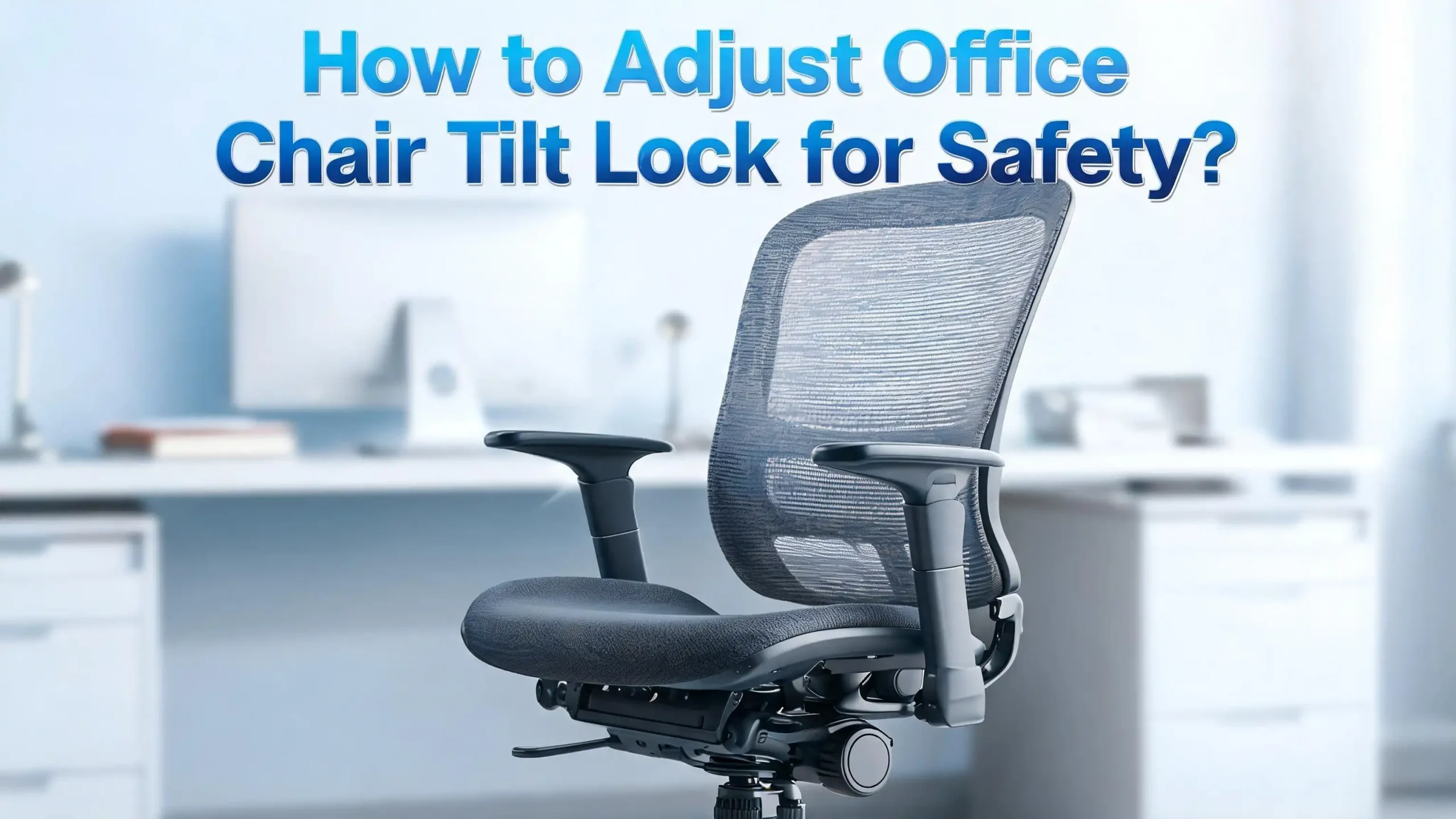
How to Adjust Office Chair Tilt Lock for Safety?
Have you ever leaned back in your office chair and felt a sudden jolt of panic? Maybe the chair tilted too far, or the backrest felt loose and wobbly. A poorly adjusted tilt lock is more than just an annoyance. It is a real safety risk that can lead to falls, back strain, and long term spinal problems.
The good news is that adjusting your office chair tilt lock takes only a few minutes. You do not need any tools. You do not need to call a technician. You just need to know where the controls are and how to set them correctly.
This guide walks you through every step. It covers different tilt mechanism types, common mistakes, safety concerns, and troubleshooting tips. By the end, you will know exactly how to make your chair work for your body and keep you safe throughout the workday.
Key Takeaways
- The tilt lock controls whether your chair backrest stays fixed or moves freely. A locked position keeps the backrest still. An unlocked position lets you recline. Both settings serve different purposes, and using them correctly prevents tipping accidents.
- Tilt tension and tilt lock are two separate features. The tension knob controls how much resistance you feel when you lean back. The tilt lock lever freezes the backrest at a set angle. You need to adjust both for a safe and comfortable setup.
- Your body weight determines the right tension setting. Heavier users need more resistance to prevent the chair from reclining too fast. Lighter users need less resistance so they can actually lean back. An incorrect setting creates instability.
- Most office chair injuries happen because of incorrect tilt settings. A chair that reclines too easily can tip backward. A chair that is locked too tight forces a rigid posture that causes muscle fatigue and back pain over time.
- You should leave the tilt unlocked for most of your workday. Ergonomic experts recommend dynamic sitting. This means allowing small movements throughout the day. Lock the tilt only for short periods of focused work that require a stable position.
- A broken or worn tilt mechanism should be replaced, not ignored. Grinding noises, a floppy lever, or a lock that does not engage are warning signs. Continuing to use a faulty mechanism puts you at risk.
What Is an Office Chair Tilt Lock and How Does It Work
The tilt lock is a built in feature on most office chairs that controls the reclining movement of the backrest. It uses a lever, paddle, or button located under the seat. This control engages or disengages a locking pin or bar inside the chair mechanism. The lock holds the backrest at a specific angle and prevents it from moving.
The basic operation is simple. You pull or push the lever to unlock the tilt. The backrest then moves freely as you lean back. When you want the backrest to stay in place, you engage the lever again. The lock activates and the backrest stays at that angle.
Some chairs lock only in the upright position. More advanced models let you lock the backrest at several different recline angles. This gives you the option to set a comfortable recline for reading, phone calls, or brief rest periods. The key safety point is that the lock must fully engage for the chair to be stable. A partially engaged lock can slip under pressure and cause a sudden backward tilt.
Most manufacturers use a system where the user must lean back slightly past the locking point before the lever can disengage. This means you cannot simply yank the lever while sitting upright and expect instant results. You need to shift your weight, release the lock, and then return to your desired position. Understanding this basic mechanic prevents frustration and keeps you safe.
Why a Properly Adjusted Tilt Lock Matters for Your Safety
An office chair with a poorly set tilt lock creates several safety hazards. The most obvious risk is tipping backward. If the tilt tension is too loose and the lock is not engaged, leaning back can send you tumbling. This is especially dangerous on hard floors where the chair casters offer less grip.
The second risk is chronic back strain. A chair locked in a rigid upright position forces your spine into a single posture for hours. Ergonomic research shows that static sitting increases the load on spinal discs. It also reduces blood flow to the muscles that support your lower back. Over weeks and months, this leads to stiffness, pain, and even disc problems.
A third concern involves the mechanism itself. A tilt lock that grinds, sticks, or fails to engage properly can release unexpectedly. Picture leaning back during a meeting and having the lock slip. The sudden jolt can strain your neck, shoulders, or lower back. It can also cause you to hit your head on nearby furniture or walls.
Proper adjustment eliminates these risks. A correctly set tilt tension gives you smooth, controlled reclining movement. A properly engaged tilt lock holds the backrest steady when you need it. Together, these two settings create a safe and supportive seating environment. Taking five minutes to set them up is one of the simplest things you can do to protect your health at work.
Understand the Difference Between Tilt Lock and Tilt Tension
Many people confuse tilt lock with tilt tension. These are two distinct features that work together but serve different purposes. Knowing the difference helps you make the right adjustments.
Tilt tension controls the resistance you feel when you lean back. It is adjusted with a large round knob, usually located under the front edge of the seat. Turning the knob clockwise increases resistance. Turning it counterclockwise decreases resistance. The internal spring mechanism pushes against your body weight as you recline. A well set tension means the chair supports you smoothly throughout the recline range and returns you gently to an upright position.
Tilt lock is a separate on/off switch. It freezes the backrest at a chosen angle. The lever or paddle that controls it is usually on the side or underneath the seat. Once engaged, the backrest does not move. Once disengaged, the backrest tilts freely based on the tension setting.
Think of it this way. Tilt tension is like the brake pressure on a car. It controls how fast or slow you move. Tilt lock is like the parking brake. It stops all movement completely. You need both for a safe driving experience, and you need both for a safe sitting experience. Adjusting one without the other leaves your chair only half set up.
Identify Your Chair Tilt Mechanism Type
Not all office chairs use the same tilt system. Identifying your mechanism type helps you find the right controls and adjust them correctly. There are five common types.
Center tilt is the most basic. The pivot point sits near the center of the seat. When you lean back, both the seat and backrest tilt together. This creates a rocking chair effect. It is found on budget and mid range office chairs.
Knee tilt places the pivot point near the front edge of the seat. This keeps your feet on the floor as you recline. It is more comfortable than center tilt because the seat does not rise as you lean back.
Synchro tilt moves the backrest and seat at different rates, usually a 2 to 1 ratio. The backrest reclines twice as far as the seat tilts. This keeps the seat relatively level while you lean back. It is the most popular mechanism on mid range to high end chairs.
Multi tilt adds the ability to lock at several different angles. Some models offer three to five locking positions. This gives you precise control over your recline angle.
Forward tilt lets you angle the seat pan slightly downward at the front. This is useful for tasks that require you to lean forward, like drawing or writing on a desk surface.
Each mechanism type has its own lever layout and adjustment method. Check the label on your chair or look at the manufacturer guide for specific instructions. Once you know your type, you can follow the correct steps for safe adjustment.
Tools and Preparation Before You Start
The good news is that most tilt lock adjustments require zero tools. The tension knob turns by hand. The tilt lock lever operates with a simple push or pull. However, a few preparation steps make the process easier and safer.
First, clear the area around your chair. Push away from the desk so you have room to lean back fully. Remove any objects behind you that could be in the way if the chair tilts unexpectedly. This is especially important if you have never adjusted the tilt before and are unsure how the mechanism responds.
Second, sit in the chair with your normal work posture. Place your feet flat on the floor. Keep your back against the backrest. All adjustments should be made while sitting in the chair. Testing the tilt while standing next to the chair gives you inaccurate feedback because the mechanism responds to body weight.
Third, locate all the controls before you start turning anything. Feel under the seat for the tension knob. It is usually a large, round, ribbed knob at the front. Find the tilt lock lever. It could be a paddle on the right or left side, a push/pull rod, or a separate handle. On some chairs, the height adjustment lever and the tilt lock lever are different paddles on opposite sides of the seat. Knowing which lever does what prevents accidental height changes while you try to adjust the tilt.
Step by Step Guide to Adjusting the Tilt Lock
Follow these steps to safely set your tilt lock. Take your time with each one. Small adjustments make a big difference.
Step 1: Sit in your chair. Plant your feet flat on the floor with your knees at roughly a 90 degree angle. Press your back firmly against the backrest. This is your starting position.
Step 2: Locate the tilt lock lever. Feel underneath the seat for a paddle, lever, or push rod. On many chairs, pulling the lever outward unlocks the tilt. Pushing it inward locks it. Some models use an up/down toggle instead.
Step 3: Unlock the tilt. Pull or push the lever to disengage the lock. You should feel the backrest become free to move. Gently lean back to confirm the tilt is unlocked. If nothing happens, lean back slightly further. Many tilt locks require you to take pressure off the locking bar before the lever will release.
Step 4: Test the recline range. Lean back slowly and observe how far the chair goes. Note whether the movement feels controlled or if the chair drops back suddenly. This tells you whether the tension setting needs adjustment.
Step 5: Engage the lock at your desired angle. Recline to a comfortable position and push or pull the lever to lock the tilt. Try to shift your weight forward and backward. The backrest should stay firmly in place. If it moves even slightly, the lock is not fully engaged. Repeat the process.
Step 6: Test in the upright position. Return to an upright posture and engage the lock again. The chair should feel stable and solid with no rocking movement. Confirm the lock holds under your full weight.
How to Adjust the Tilt Tension Knob Correctly
The tension knob works alongside the tilt lock to control your safety and comfort. Here is how to set it properly.
Find the knob. It is the large round dial under the front of your seat. It is usually ribbed or textured for easy grip. Do not confuse it with any other controls under the seat.
Start at a middle setting. If you are adjusting the tension for the first time, turn the knob to what feels like the middle of its range. This gives you a neutral starting point. You will fine tune from here.
Lean back and test. Unlock the tilt and lean back gently. Pay attention to two things. First, how much effort does it take to recline? It should require a deliberate but comfortable push. Second, how does the chair return you upright? The return should feel smooth and controlled, taking about one to two seconds. It should not snap you forward or feel sluggish.
Adjust based on your weight. If you weigh less than 65 kg (about 143 lbs), you likely need a lower tension setting. Turn the knob counterclockwise to reduce resistance. If you weigh more than 90 kg (about 198 lbs), you need more tension. Turn the knob clockwise to increase resistance. Make small adjustments of about a quarter turn at a time. Test after each adjustment.
Check for the “falling back” sensation. If you feel like the chair drops out from under you when you recline, the tension is too loose. Tighten it immediately. This loose setting is the most common cause of tilt related chair accidents. A properly set tension should make you feel supported at every angle of recline.
Common Mistakes That Make Your Chair Unsafe
Several frequent errors turn a perfectly good office chair into a safety hazard. Knowing these mistakes helps you avoid them.
Mistake one: Leaving the tilt locked all day. Many people lock their chair upright and never unlock it. This forces a static posture that increases spinal pressure and muscle fatigue. Ergonomic guidelines recommend keeping the tilt unlocked for at least 80% of your work time to allow natural micro movements.
Mistake two: Setting the tension too loose for your weight. A lightweight tension setting combined with a heavier body creates a dangerous combination. The chair reclines too fast and too far. You lose control of the movement. This is how backward tipping accidents happen.
Mistake three: Ignoring a partially engaged lock. If the tilt lock lever does not click firmly into place, the lock can slip. Always verify the lock by pushing against the backrest with your full weight before trusting it. A half locked tilt is worse than no lock at all because it gives a false sense of security.
Mistake four: Never checking the mechanism for wear. Tilt mechanisms have moving parts that wear down over time. Springs lose tension. Locking pins become smooth. Levers get loose. Check your tilt mechanism at least once every few months. Wiggle the lever. Listen for grinding or clicking sounds. Replace worn parts before they fail completely.
Mistake five: Using the wrong lever. Many chairs have multiple levers under the seat. Pulling the wrong one can drop the seat height suddenly or release a different lock. Always identify each lever’s function before adjusting anything.
How to Fix a Tilt Lock That Will Not Engage
A tilt lock that refuses to work properly needs attention right away. Here are the most common issues and fixes.
The lever feels loose or floppy. This usually means the internal connecting rod or cable has stretched or disconnected. Flip the chair upside down and examine the linkage between the lever and the mechanism plate. Look for a detached clip, pin, or cable. Reattach it if possible. A floppy lever cannot engage the lock safely.
The lock does not release. This happens when you try to pull the lever while the locking bar is under pressure. Lean back slightly to take weight off the lock bar. Then pull the lever. The release should feel smooth. If it still will not budge, the locking pin may be jammed or corroded. Apply a small amount of silicone lubricant to the mechanism and try again.
The lock engages but slips under weight. The locking bar or pin has likely worn down. Inspect the mechanism for smooth or rounded edges on the lock components. Replacement tilt mechanism plates are available and can be swapped without replacing the entire chair. The plate sits under the seat and attaches with four bolts.
The tension knob spins freely without effect. The internal spring has probably broken or the knob has stripped its threads. This is a replacement situation. Remove the old knob and spring assembly and install a new one. Most replacements use standard sizing and are straightforward to install with a wrench.
If you are not comfortable with any of these repairs, take the chair to a furniture repair professional. A faulty tilt mechanism is not something to ignore. Continued use of a broken lock puts you at risk for a sudden failure and potential injury.
How to Set the Tilt Lock for Different Work Tasks
Your ideal tilt lock setting changes based on what you are doing. Here is a quick guide for common tasks.
Typing and computer work: Keep the tilt unlocked with moderate tension. A slight recline of 100 to 110 degrees opens your hip angle and reduces pressure on your lower back. The unlocked position lets you shift naturally as you type. Your back should maintain constant contact with the backrest throughout these movements.
Reading documents or a second screen: A deeper recline of 110 to 120 degrees works well here. If your chair supports multi position locking, lock the tilt at this angle. This reduces neck and shoulder strain while you read. Make sure your screen or document is still at a comfortable viewing height.
Phone calls and video meetings: Lean back to a relaxed 115 to 120 degree angle and lock the tilt. This takes pressure off your spine during longer calls. You can gesture freely with your hands without worrying about the chair shifting.
Forward leaning tasks like writing or drawing: If your chair has a forward tilt feature, engage it. This angles the seat pan slightly downward, which supports a forward lean without putting excessive strain on your lower back. Lock the tilt in this position for stability.
Short breaks and stretching: Unlock the tilt completely and lean back as far as the mechanism allows. This stretches your spine and hip flexors. Return to your working position after one to two minutes. These micro breaks reduce stiffness and promote circulation.
How Body Weight Affects Your Tilt Lock Safety
Your weight plays a direct role in how safe your tilt settings are. A 55 kg person and a 100 kg person need very different setups on the same chair.
Lighter users (under 65 kg) often struggle with tilt tension that is set too high. The resistance overpowers them. They cannot recline at all, or the effort required is uncomfortable. This leads them to either give up and lock the chair permanently or sit with the tilt unlocked at a tension that was set by a heavier previous user. Both scenarios create safety problems. The solution is to reduce tension significantly. Turn the knob counterclockwise until the recline feels smooth and requires only a gentle push.
Average weight users (65 to 90 kg) generally work well with a medium tension setting. Start at the middle of the knob’s range and fine tune from there. You should be able to recline with deliberate but easy effort. The chair should return you to upright smoothly within one to two seconds.
Heavier users (over 90 kg) need higher tension to prevent the chair from reclining too fast. A loose tension setting combined with higher body weight creates significant tipping risk. Turn the knob clockwise until you feel strong resistance. The chair should still allow reclining, but it should require a firm push. Test the lock engagement carefully. The locking bar must hold against your full weight without any slipping.
If you share a chair with coworkers of different sizes, make it a habit to check and adjust the tension each time you sit down. It takes 10 seconds and prevents accidents. A setting that works for one person can be dangerous for another.
How Often Should You Check Your Tilt Lock
A set and forget approach does not work for chair safety. Regular checks keep your tilt mechanism reliable.
Daily check: Each time you sit down, give the backrest a firm push. Does the lock hold? Does the chair feel stable? This takes three seconds and catches any overnight changes, especially in shared office environments where someone else may have adjusted the chair.
Weekly check: Once a week, unlock the tilt and test the full recline range. Listen for unusual sounds. Feel for jerky or uneven movement. These are early signs of wear. A smooth, silent recline means the mechanism is healthy. Grinding, clicking, or uneven resistance signals a problem.
Monthly check: Flip the chair and visually inspect the mechanism. Look for loose bolts, detached cables, or cracked components. Check that the tension knob turns smoothly and that the lever engages with a firm click. Tighten any loose fasteners. Apply silicone lubricant to the pivot points if the movement feels stiff.
Annual check: Consider a full mechanism assessment once a year, especially if the chair is used heavily. Springs lose tension over time. Locking pins wear smooth. Plastic components become brittle. If your chair is more than five years old, pay extra attention to the mechanism plate. Cracks or warping in this plate compromise the entire tilt system.
Keeping a simple maintenance schedule protects both your safety and the life of your chair. A well maintained tilt mechanism can last a decade or more. A neglected one can fail without warning.
Signs That Your Tilt Lock Mechanism Needs Replacement
Sometimes adjustment is not enough. These warning signs tell you the mechanism has reached the end of its life.
The lever does not click into place. A healthy tilt lock produces a clear, firm click when engaged. If the lever slides without resistance or fails to stay in position, the internal locking pin or bar is worn. No click means no lock. Replace the mechanism before someone gets hurt.
The chair reclines on its own. If the backrest slowly drifts backward even with the lock engaged, the spring inside the mechanism has weakened. This is a gradual process that many people do not notice until the drift becomes severe. A recline that happens without any deliberate lean is a clear replacement signal.
You hear grinding or popping sounds. These noises indicate metal on metal contact from worn bushings or stripped gears. The sounds will get worse over time. The mechanism will eventually fail at the worst possible moment, like when you lean back to stretch.
The tension knob has no effect. If turning the knob does not change the recline resistance at all, the internal spring is broken or the knob has stripped. No tension control means no ability to match the chair to your body weight. This makes the tilt unpredictable and unsafe.
Visible cracks or rust on the mechanism plate. Any structural damage to the metal plate under your seat is an immediate replacement situation. This plate bears your full body weight plus the forces generated during reclining. A cracked plate can break suddenly and cause a serious fall.
Replacement mechanism plates are widely available from furniture parts suppliers. Most plates use standard bolt patterns and can be installed with basic hand tools in about 15 minutes.
Best Practices for Long Term Tilt Lock Safety
Keeping your chair safe over the long term requires a few simple habits. These best practices protect you and extend the life of your chair.
Practice dynamic sitting. Leave the tilt unlocked for most of your day. Allow your body to make small, natural shifts in posture. This reduces static load on your spine and keeps muscles active. Lock the tilt only for short periods of focused work or specific tasks.
Match the tension to your weight every time. If you are the only user of the chair, set it once and recheck monthly. If the chair is shared, check the tension every time you sit down. A 30 second adjustment prevents hours of discomfort or a sudden accident.
Keep the mechanism clean. Dust and debris build up inside the tilt mechanism over time. Use compressed air to blow out the area under the seat every few months. This prevents gritty, uneven movement that stresses the components.
Do not force a stuck lever. If the tilt lock lever will not move, do not apply excessive force. Lean back to relieve pressure on the lock bar, then try again. Forcing a stuck lever can snap the internal linkage or strip the locking pin. Gentle operation extends the mechanism’s life.
Replace worn parts promptly. Do not wait for a complete failure. If you notice early warning signs like grinding sounds, reduced click firmness, or slow drift, order a replacement mechanism. Installing it before the old one fails completely avoids any dangerous gap in protection.
Read your chair manual. Every chair model has specific instructions for its tilt mechanism. The general principles in this guide apply broadly, but your chair may have unique features or limitations. Keep the manual accessible or download a digital copy from the manufacturer’s website.
Frequently Asked Questions
What does the tilt lock lever do on an office chair?
The tilt lock lever controls whether the backrest can move or stays fixed. Pulling or pushing the lever unlocks the tilt and allows the backrest to recline. Engaging the lever locks the backrest at a specific angle. Most chairs lock in the upright position, but some models allow locking at multiple recline angles. The lock prevents the chair from tipping backward during use and provides stability for focused work tasks.
How do I know if my tilt lock is broken?
The clearest sign is that the lever does not produce a firm click when engaged. Other signs include the backrest drifting backward on its own, grinding noises during reclining, or the lever feeling loose and floppy. If you push against the locked backrest with your full weight and it moves even slightly, the lock is not functioning properly. Stop using the chair in tilt mode and get the mechanism inspected or replaced.
Is it bad to leave the office chair tilt unlocked all day?
No. In fact, ergonomic experts recommend keeping the tilt unlocked for most of the day. An unlocked tilt with proper tension allows dynamic sitting. This means your body can make small, natural posture changes that reduce spinal pressure and muscle fatigue. Lock the tilt only for short periods of precise work that requires a completely stable backrest.
How tight should the tilt tension knob be?
The right tension depends on your body weight. A lighter person needs less tension. A heavier person needs more. The correct setting lets you recline with a deliberate but comfortable push and returns you to upright smoothly in about one to two seconds. If the chair drops you backward or snaps you forward, the tension is wrong. Adjust in small increments until the movement feels controlled and supportive.
Can I replace the tilt mechanism myself?
Yes, in most cases. The tilt mechanism plate attaches to the bottom of the seat with four bolts. You remove the old plate, transfer any components like the gas cylinder, and bolt on the new plate. Standard hand tools are all you need. However, if you are unsure about the process or if the chair has an unusual design, consult a furniture repair professional to ensure the replacement is installed safely.
Why does my chair keep leaning back even with the tilt locked?
This means the internal locking pin or bar has worn down and can no longer hold the backrest in place. The spring may also have weakened. This is a safety hazard because the backrest can release unexpectedly under load. Stop relying on the tilt lock and have the mechanism replaced. Continuing to use a slipping lock increases the risk of a backward fall.

Hi, I’m Clara! I started SitSmartGuide to help people find chairs that truly support their comfort and health — without the guesswork. After years of dealing with back pain from bad seating, I became obsessed with testing, researching, and reviewing chairs so you don’t have to learn the hard way.